
 English
 Svenska
Categories
Hiding your page from search engines
Add a noindex tag with a single checkbox to keep a page out of search engine results.
There can be many reasons for preventing a page from appearing in search results, including the following:
- The page is under development and is not ready to welcome visitors yet.
- The page contains private data (confidential company details, user profile information, private correspondence, payment data, and so on).
- The page contains similar information (a common issue for ecommerce websites that have many products differing only in size or color, which search crawlers consider duplicates).
- The page contains so called thin content (login pages, thank you pages, and so on) that search crawlers consider to add no extra value for visitors.
Hiding a page from indexing is done by adding a noindex tag to it. But do not worry, you are not required to inject any code into your website. With the Website Builder, you can do it by ticking a single checkbox. Read on for the full instructions.
Adding a noindex tag to a page
To hide your page from the search engine crawlers, follow these steps:
-
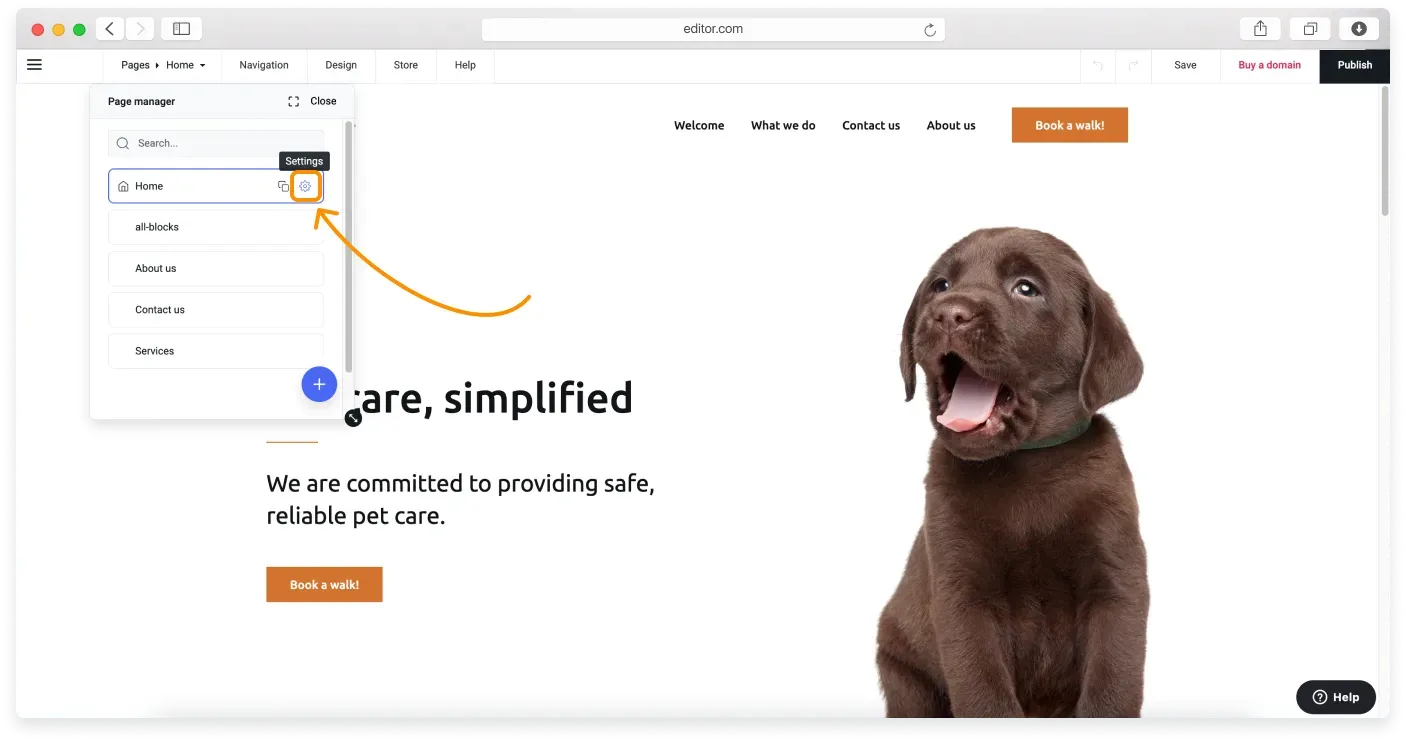
When in the editor, click Pages on the Topbar to open the Page manager.
-
Click the gear icon next to the page you want to manage.
-
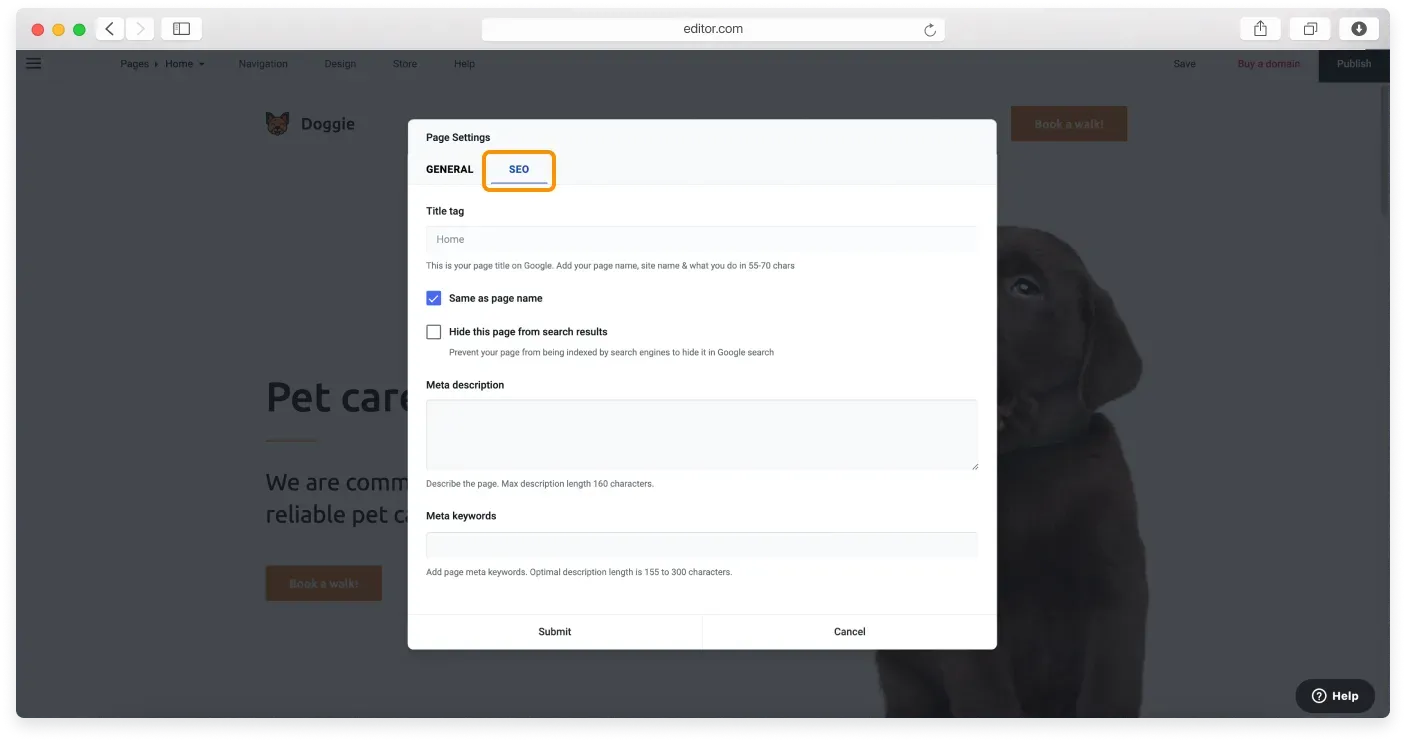
In the Page Settings window, go to the SEO tab.
-
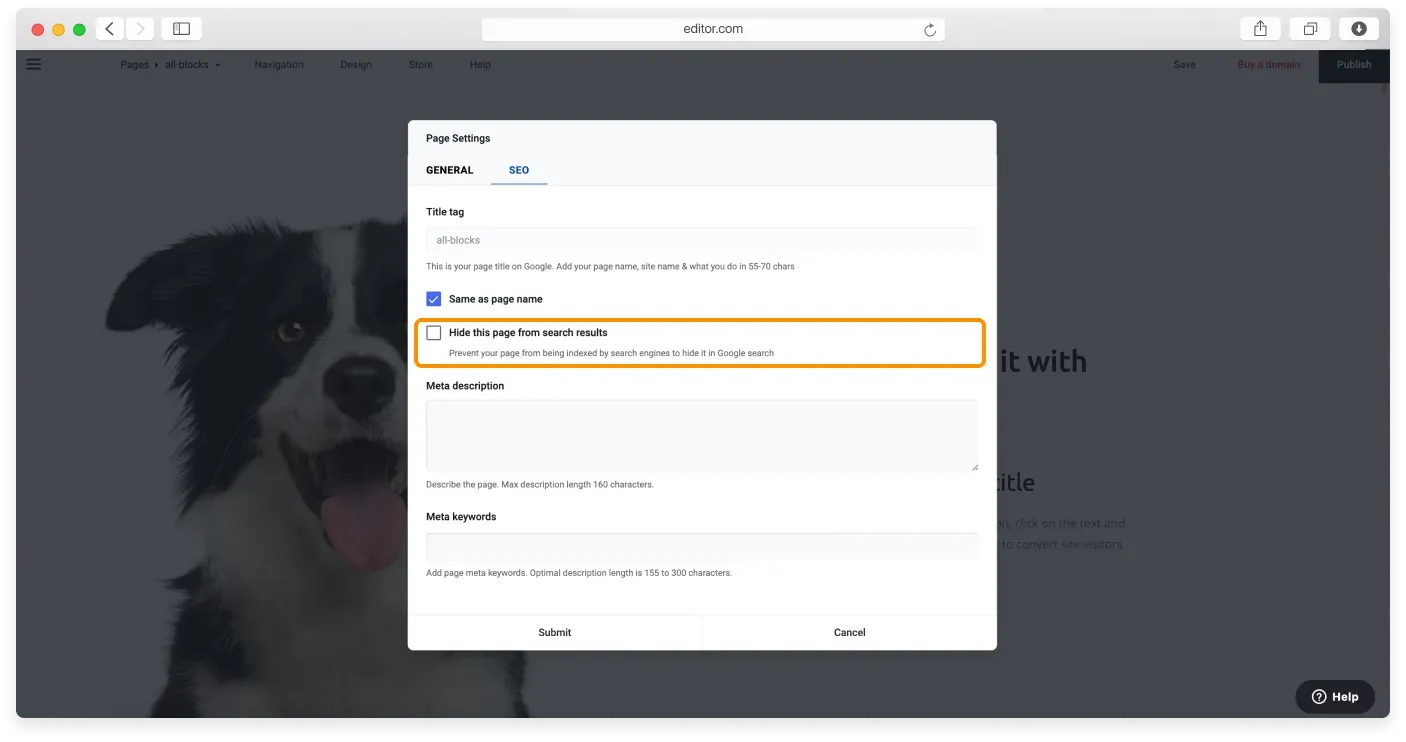
Tick the Hide this page from search results checkbox.
-
Click Submit to save the changes.
You can read more about customizing your page SEO settings in the dedicated tutorial.
Related articles
- Customizing your page SEO settingsAdd a search friendly title, description, and keywords to each page of your Website Builder site.
- Using metadata to improve your SEOUnderstand how title tags, meta descriptions, and keywords help search engines rank your pages.
- Viewing your site analyticsTrack visitors, visits, and pageviews with the built in analytics in the Website Builder.
Can’t find what you need?
Contact our team. We’re here 24/7 by email and ticket.