
 English
 Svenska
Categories
Adding Google Analytics 4 to your website
Connect Google Analytics 4 to your Website Builder site to track traffic for free.
In addition to the built in Analytics, you can also use Google Analytics to track website traffic. Google Analytics integration is available for all Website Builder users for free.
Publish first
To measure your site traffic, you need to publish your site first.
To add Google Analytics 4 to your website, follow these steps:
-
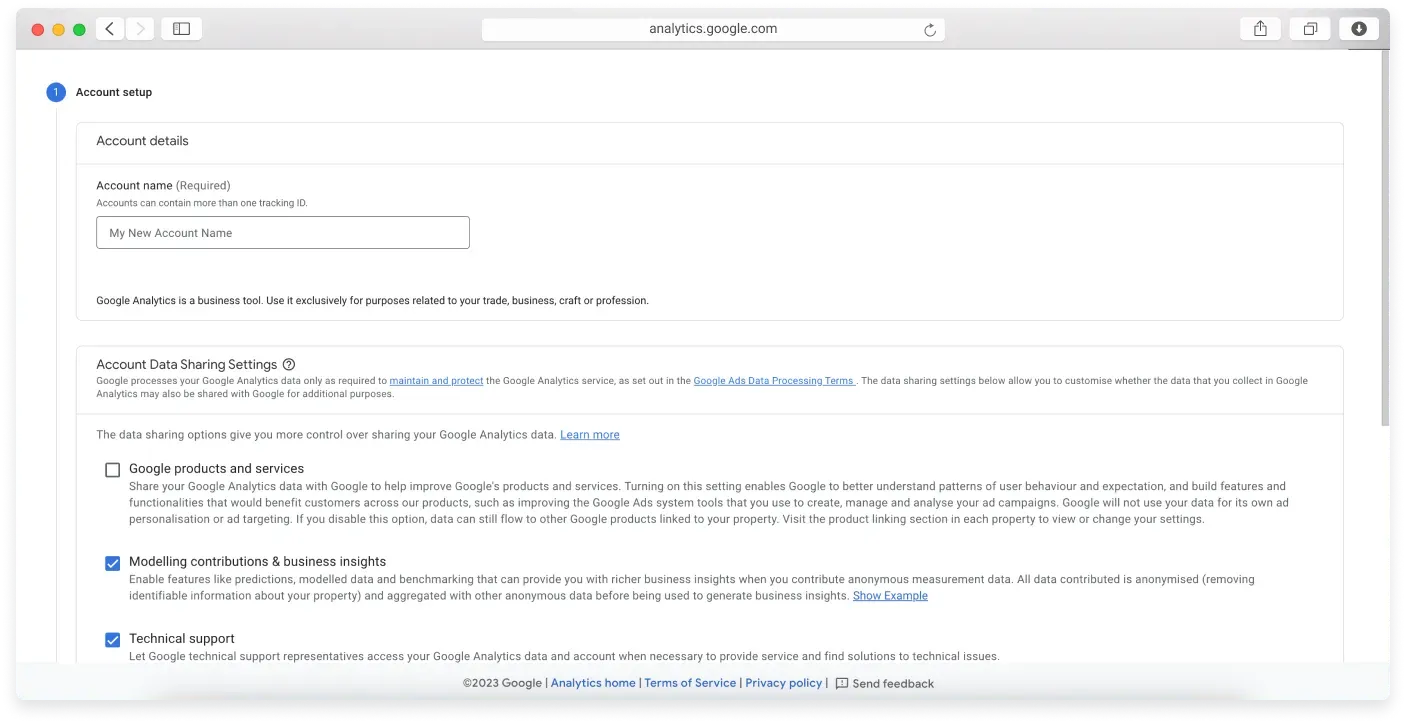
Sign up for Google Analytics 4 (opens in a new tab). On the Account setup page, fill in the details required in all the steps. The Account name is the name that appears in your Google Analytics reports. When you are finished, select your country from the drop down list, agree to the Terms and Conditions, and click Create Account.
-
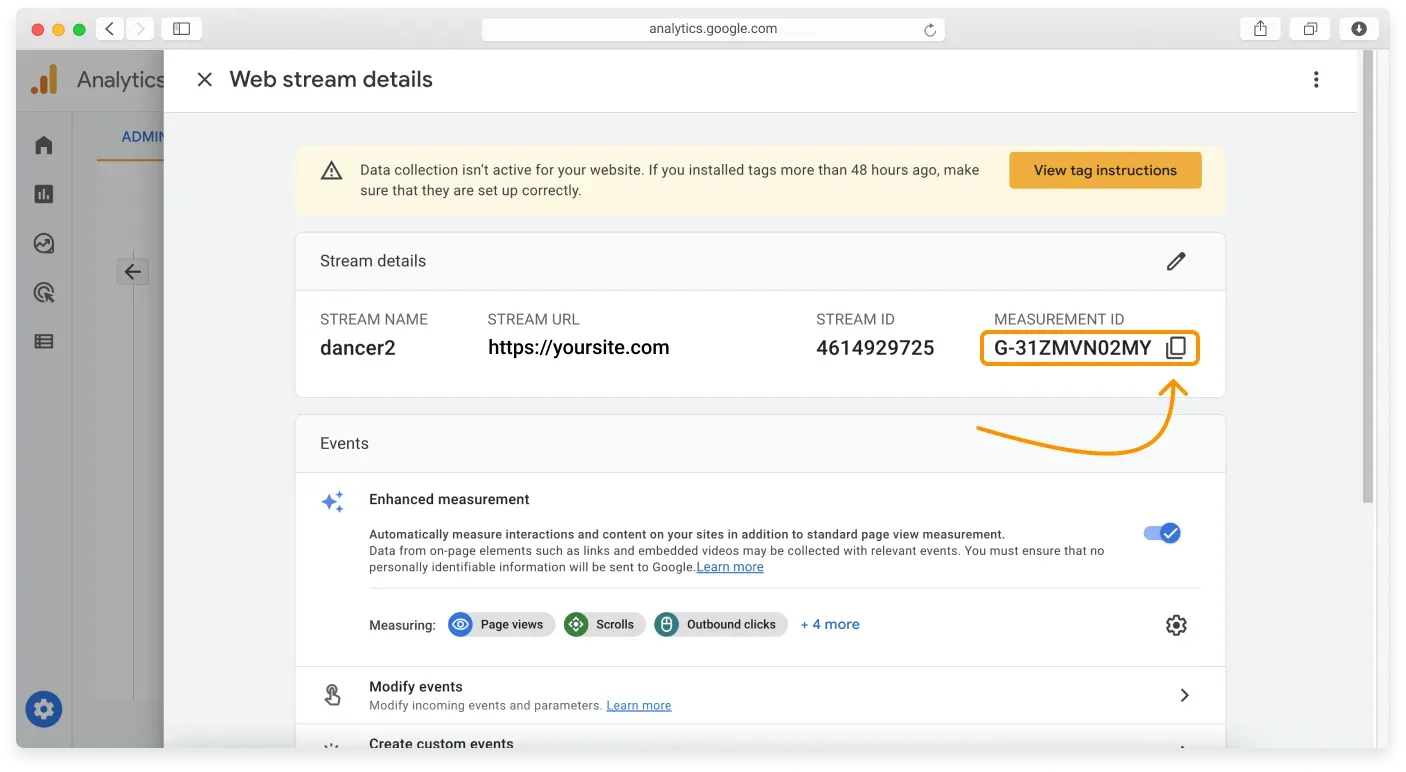
You are taken to the admin section of the Google Analytics 4 control panel, where you can copy the Measurement ID code by clicking the Copy icon.
-
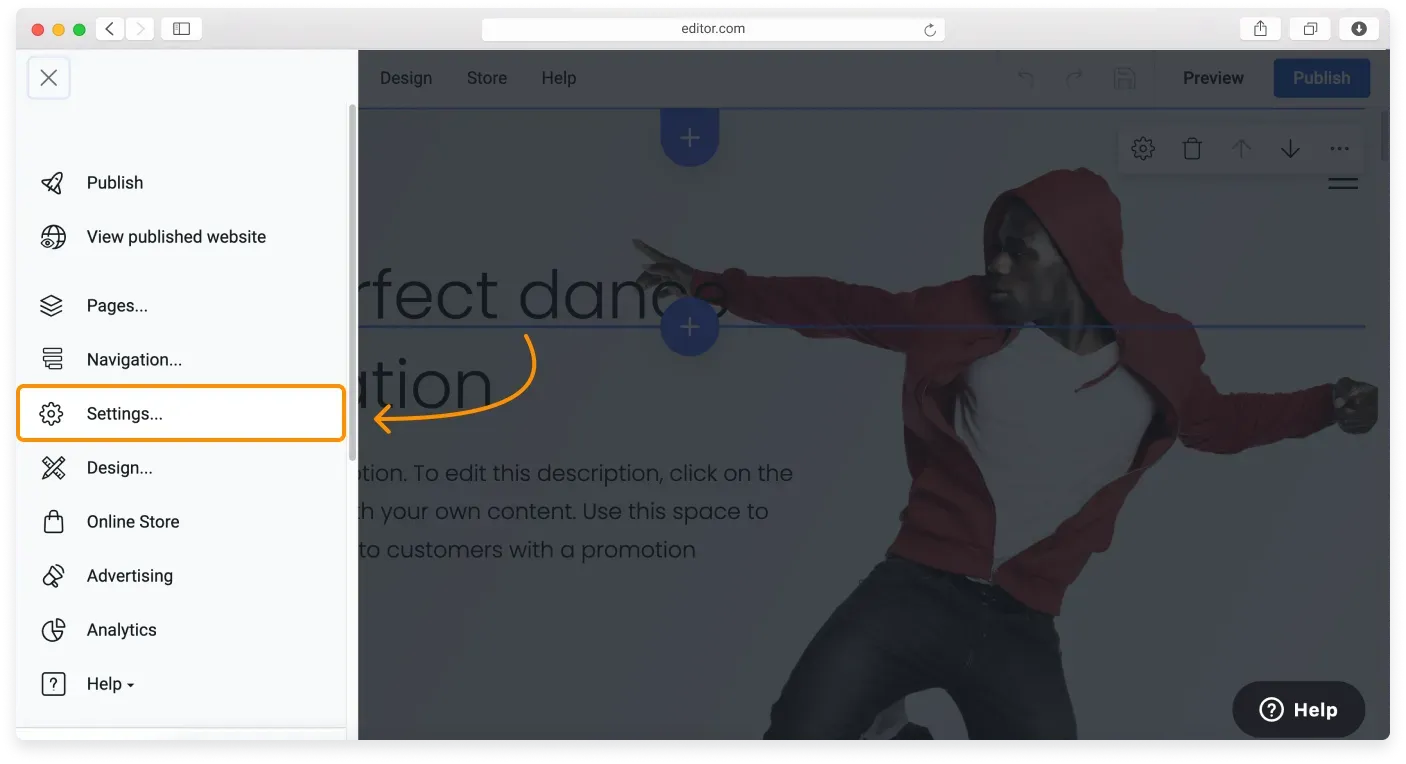
Go to the Website Builder and click the Menu button in the top left corner of the screen. Then click Settings in the Sidebar.
-
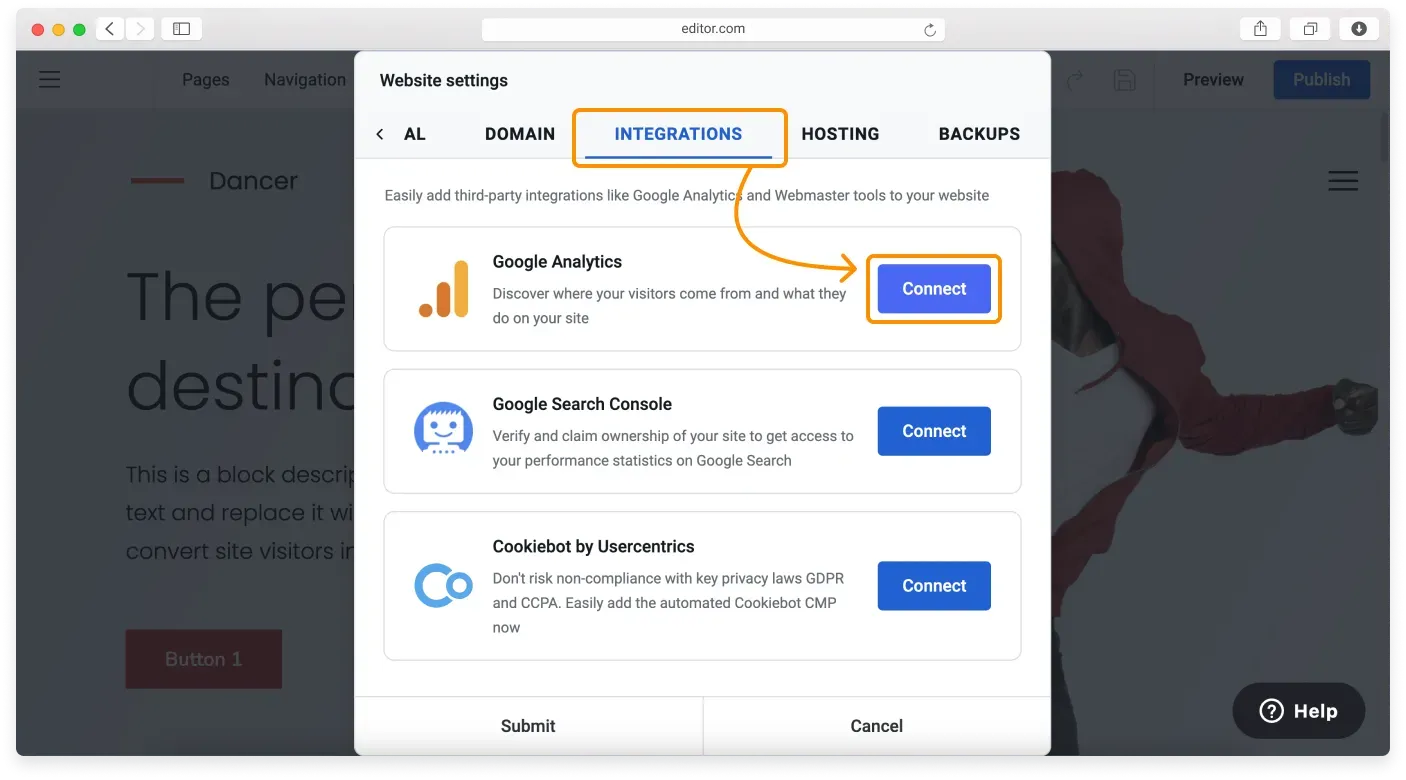
In the Website settings window, click the Integrations tab and click the Google Analytics Connect button.
-
In the Connect Google Analytics window, paste the Measurement ID you copied earlier and click Submit.
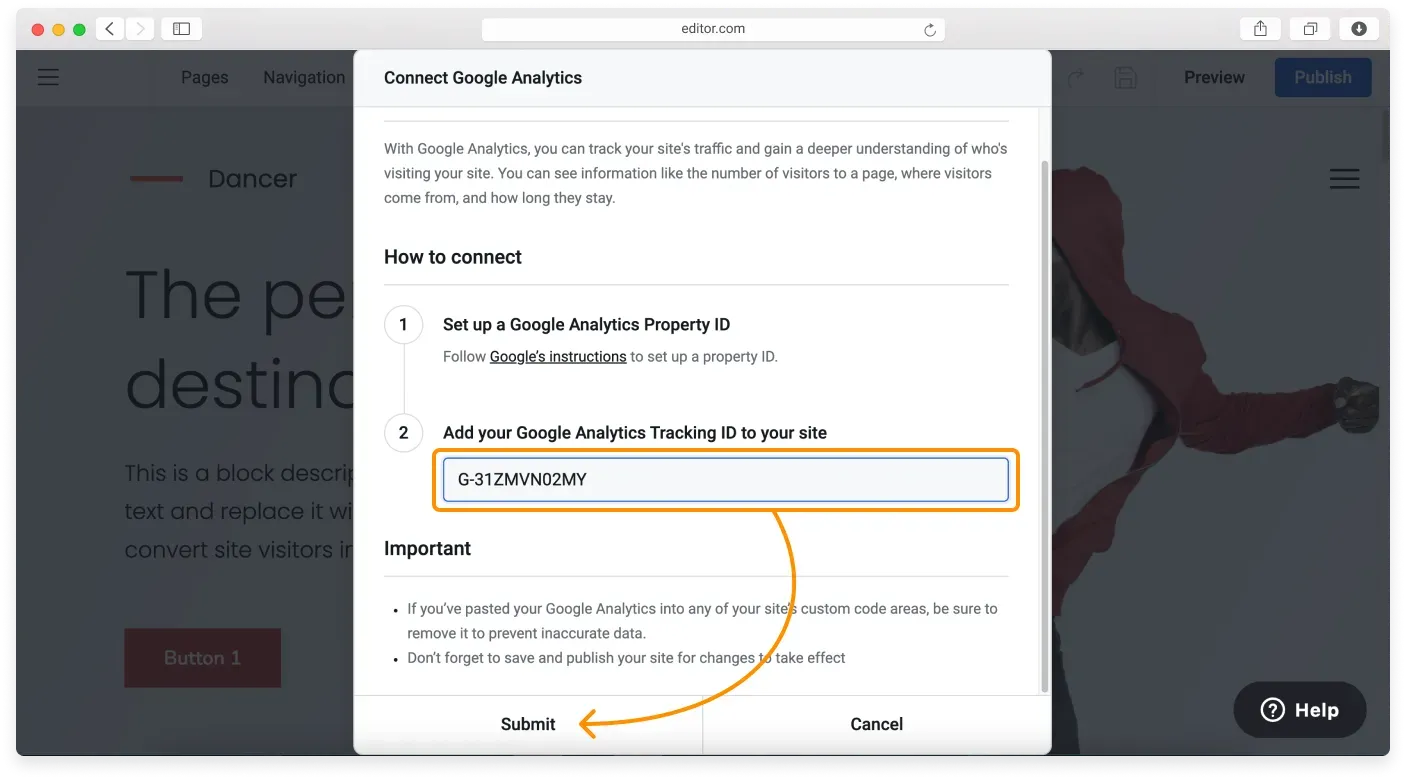
-
Submit again in the Website settings window, then Publish your site to make the changes live.
Data takes time
It takes 24 hours for Google Analytics 4 to collect the first batch of data about your site.
Related articles
- Customizing your page SEO settingsAdd a search friendly title, description, and keywords to each page of your Website Builder site.
- Using metadata to improve your SEOUnderstand how title tags, meta descriptions, and keywords help search engines rank your pages.
- Viewing your site analyticsTrack visitors, visits, and pageviews with the built in analytics in the Website Builder.
Can’t find what you need?
Contact our team. We’re here 24/7 by email and ticket.