
 English
 Svenska
Categories
About mobile editing
How the mobile Website Builder lets you create and edit your website from any phone or tablet.
On this page
The mobile Website Builder lets you create, modify, and enhance your website directly from your mobile device, as long as you have an internet connection. Whether you need to add new blocks, edit content, adjust backgrounds, or fine-tune icons, you can do it all right from your phone. In fact, it is as easy as tapping on the screen to edit, duplicate, or delete any element.
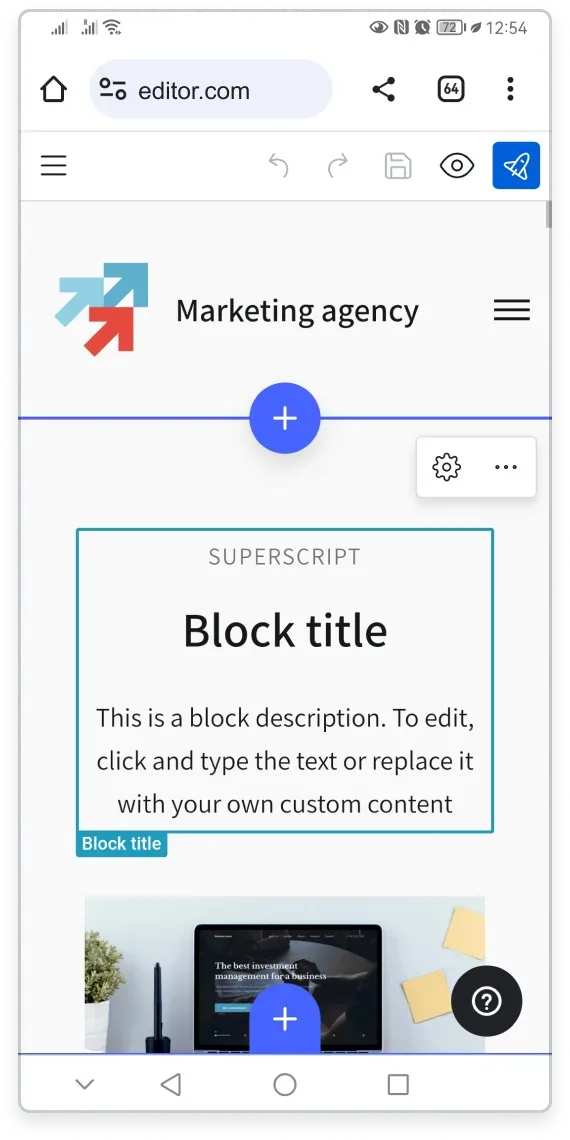
Benefits of the mobile Website Builder
- Edit directly in your browser: There is no need to download a separate app for website editing. Simply open the Website Builder in any browser, log in, and start building or editing.
- Full functionality: You have access to the complete range of settings and editing options available on the desktop version of the Website Builder.
- Effortless experience: Mobile editing is as simple as tapping on the screen, so you can make changes with ease.
- Advanced WYSIWYG: Your layout and color choices stay consistent across different devices and platforms.
You can also edit your website on mobile devices 24/7, regardless of your subscription plan.
Start building on the move
You have the flexibility to manage your website effortlessly while on the move. Embrace the convenience and accessibility of the mobile Website Builder.
Go ahead and create your website on the run.
Related articles
- First steps to building your website on mobileSign up and use the Setup Wizard to pick a template and set up your site from your phone.
- Adding website content on mobileAdd and edit blocks, images, text, and downloadable files from your mobile device.
- Creating a mobile-responsive websiteYour Website Builder site automatically adapts to look great on any screen size.
Can’t find what you need?
Contact our team. We’re here 24/7 by email and ticket.