
 English
 Svenska
Categories
The Other styles design menu
Fine-tune the corner roundness of columns and media across your whole site.
On this page
The Website Builder’s Other styles menu gives you more control over the look of your site by letting you adjust the roundness of corners for columns and media. Whether you want sharp, modern edges or softer, rounded corners, you can fine-tune the style to match your brand.
Customizing columns and media corners
To start customizing the corner style of your columns and media, open the Other styles menu. Here is how:
- When in the editor, click Design on the Topbar.
- When the dropdown menu appears, click Other styles.
- A window opens with customization settings for Columns and Media. To change the style, either drag the slider left or right to increase or decrease the roundness, or enter a number manually in the input box for precise control.
- Click Save when you are done.
Applies everywhere
As you make changes, the preview updates instantly so you can see the effect on your columns and media. These adjustments apply across your entire website.
Adjusting the corners in the Custom block
When you work with Other styles, the changes apply to columns in custom blocks as well as the rest of the site, but only if the corners toggle in the custom block settings is turned off.
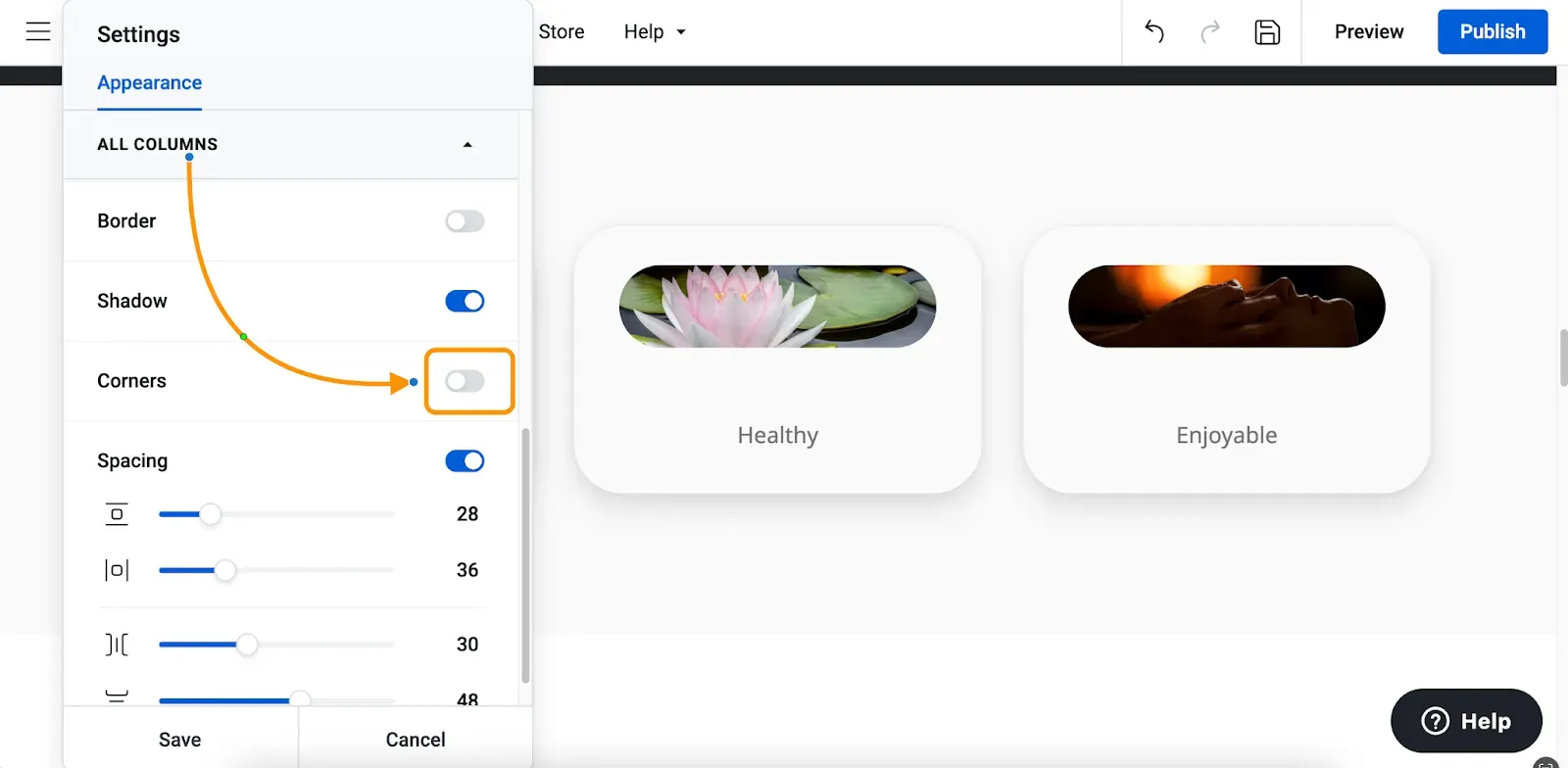
If the toggle is enabled and you set a new value there, it overrides the global setting and affects only that specific custom block.
If you want the same corner style from a custom block to apply across your entire website, go back to Other styles and enter the same values there.
Troubleshooting
If adjusting the corner style does not change anything on the canvas, try this:
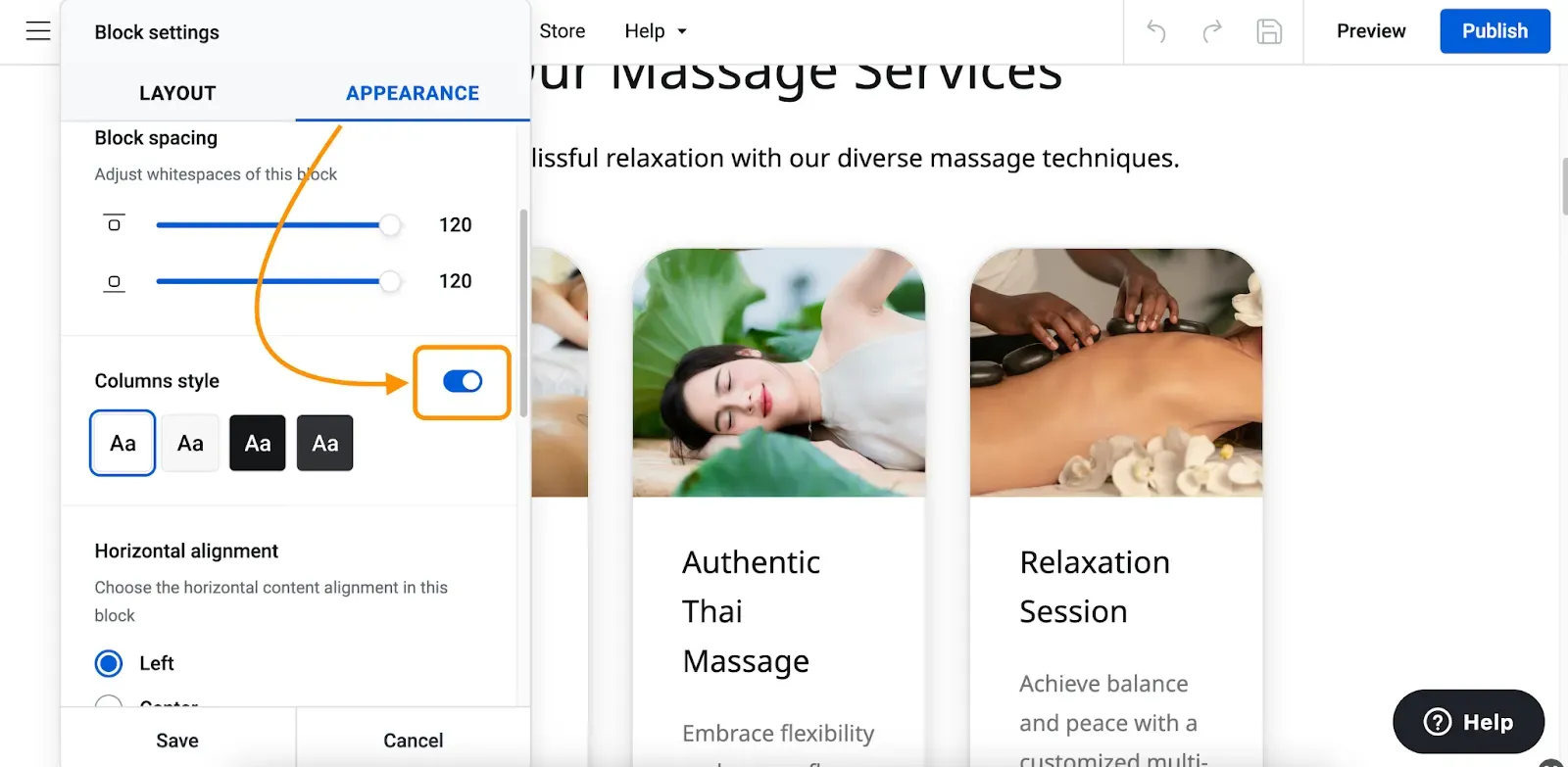
- Open Block settings, then the Appearance tab.
- Turn on the Column style toggle.
- Go back to Other styles and adjust the corner settings again.
Tip
If your block and its columns share the same background, the changes might not be visible. To highlight them, enable the Border toggle and/or the Shadow toggle.
Related articles
- Custom blockBuild a block from scratch by arranging widgets like text, images, buttons, and forms exactly how you want.
- Block settingsAdjust a block's layout and appearance, from background and spacing to alignment, borders, and overlays.
- Premium blocksAccess advanced, trend-focused block layouts available on paid Website Builder plans.
Can’t find what you need?
Contact our team. We’re here 24/7 by email and ticket.