
 English
 Svenska
Categories
Saving your website
How autosave works and how to save your site manually as you work.
On this page
Saving your work while creating a website helps preserve your changes and lets you try out and roll back edits without losing your progress.
Saving vs. publishing
These are two different processes. Saving ensures that you do not lose your work between working sessions, while publishing makes your changes live online and visible to your website visitors.
Here is how you can save your work in the Website Builder.
Autosaving
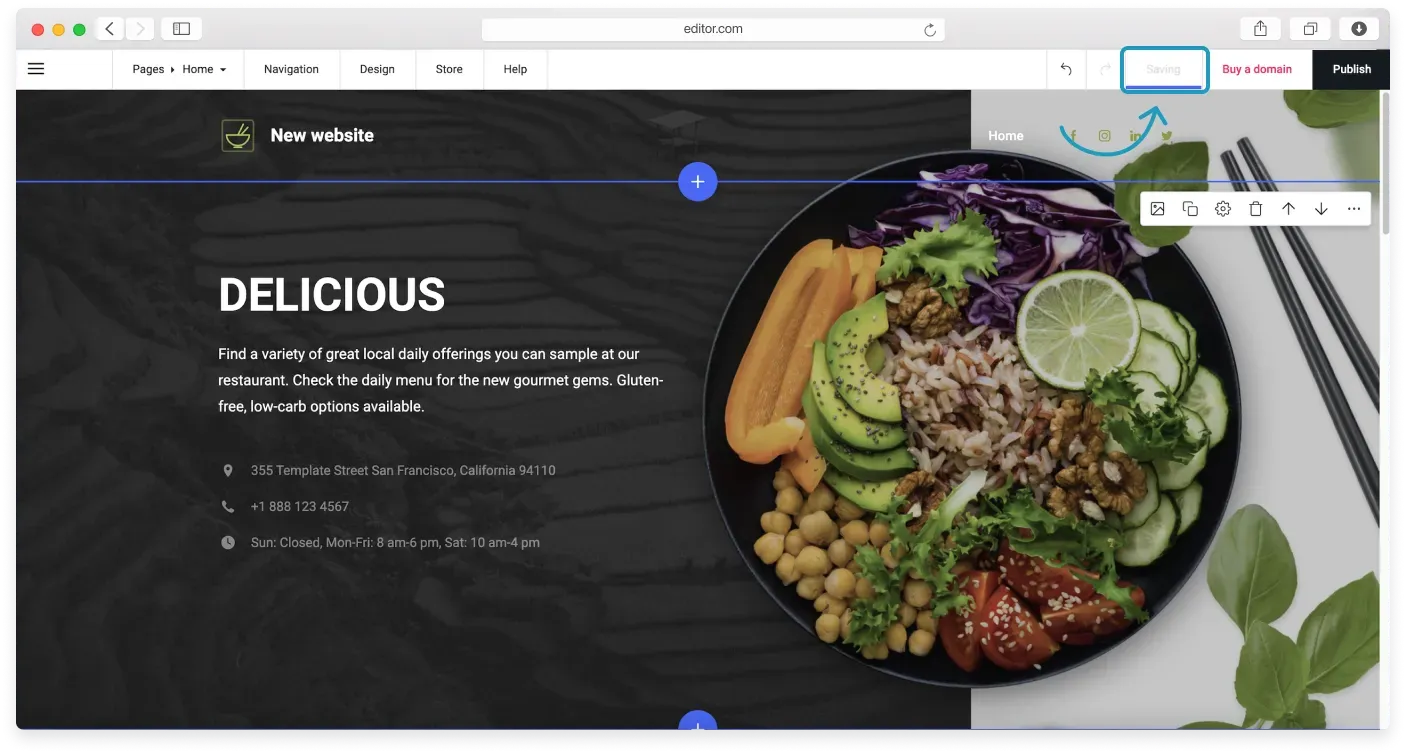
The Website Builder automatically saves your edits every two minutes. You can see the status on the Topbar change to Saving and then to Saved.
Saving as you work
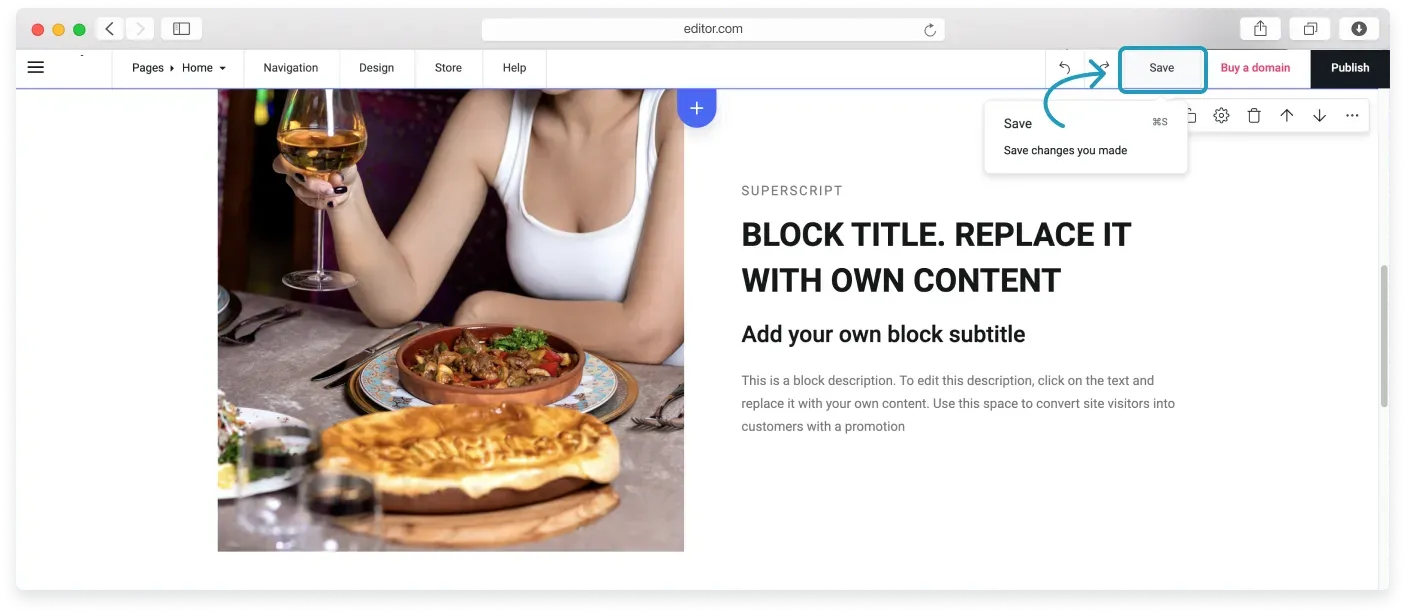
The manual save option is handy when there is a chance of internet or power outages. If one happens between autosaves, you may lose your progress.
To save while you are working, go to the Topbar and click the Save button. You can also save your site with the keyboard shortcuts Ctrl+S on Windows and Command+S on Mac.
Saving when moving between pages
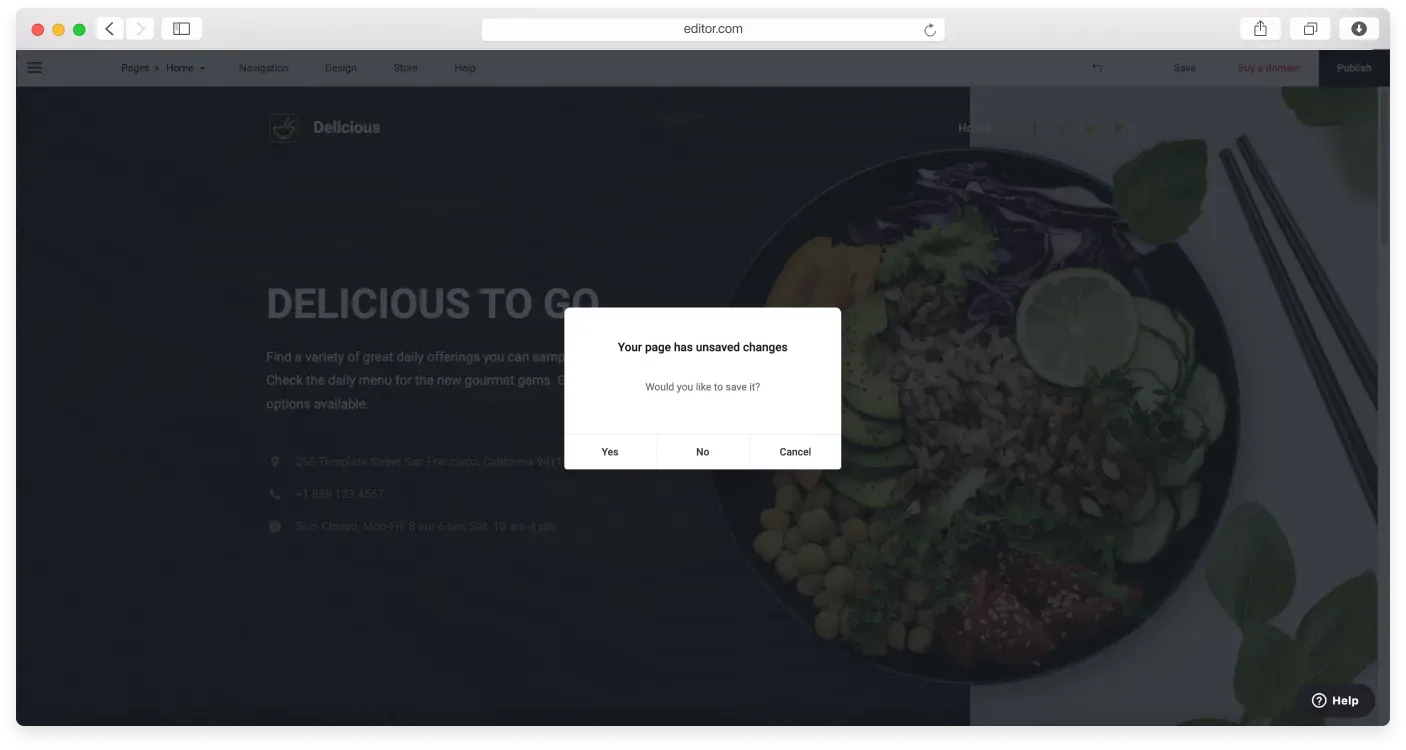
You will be prompted to confirm saving when you move to another page.
Saving when publishing
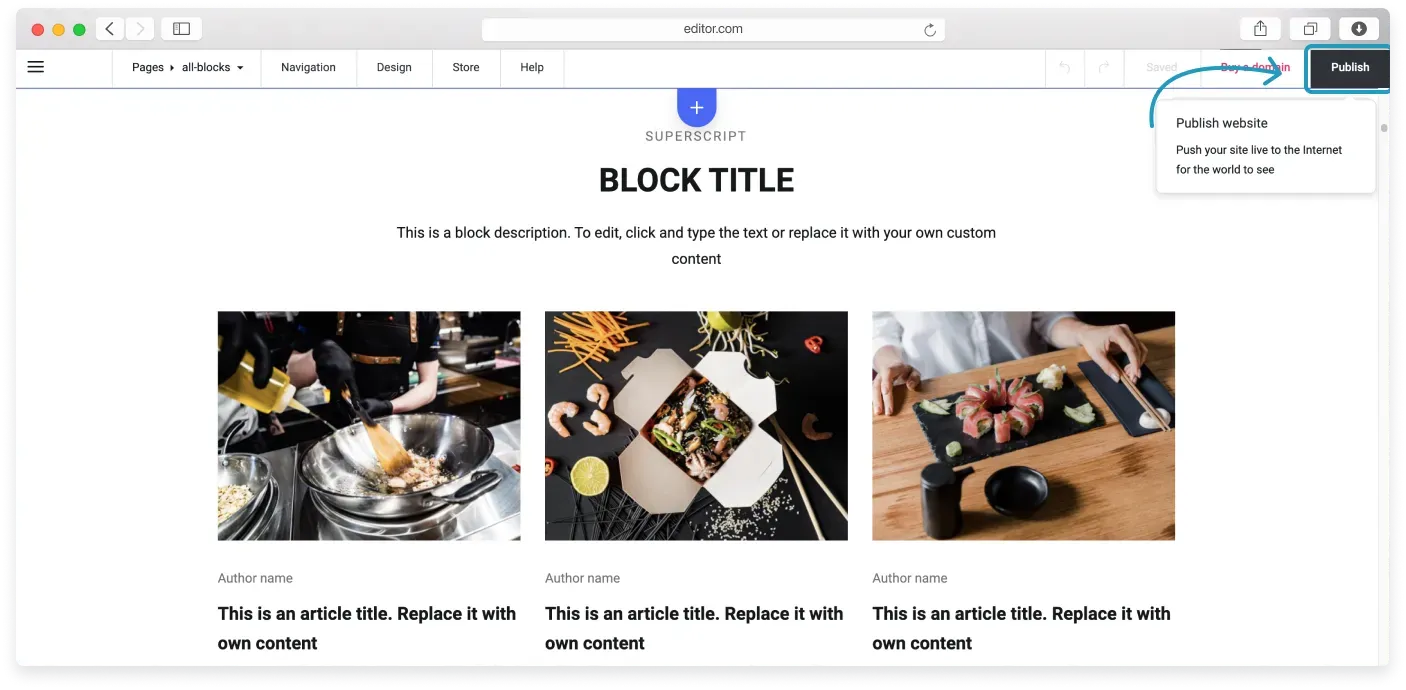
Your website is saved automatically when you publish it, so remember to publish your website to make your latest content visible on the web.
Related articles
Can’t find what you need?
Contact our team. We’re here 24/7 by email and ticket.