
 English
 Svenska
Categories
Adding a cookie declaration to your website
Show a full cookie declaration on your site using a CookieBot script.
On this page
Along with the cookie consent banner, you can create a cookie declaration using the CookieBot integration on your website. You add the declaration by embedding a CookieBot-generated script on a page. The HTML embed feature is available on paid plans only.
What the cookie declaration contains
By default, the cookie declaration has five parts:
- An introduction that informs your website users about the use of cookies.
- Information about the domains that the user’s consent is valid for.
- The user’s current consent (which categories of cookies consent has been given for) with options to change it or withdraw it completely. If the user clicks Change your consent, the cookie consent banner is shown again.
- Information about the last update to the cookie declaration. (The date updates automatically when a scan runs on the website.)
- A list of all cookies and trackers used on the website, grouped into Necessary, Preferences, Statistics, and Marketing, along with purpose descriptions and extra information. (This is drawn automatically from the latest scan report for your website and updates with each new scan.)
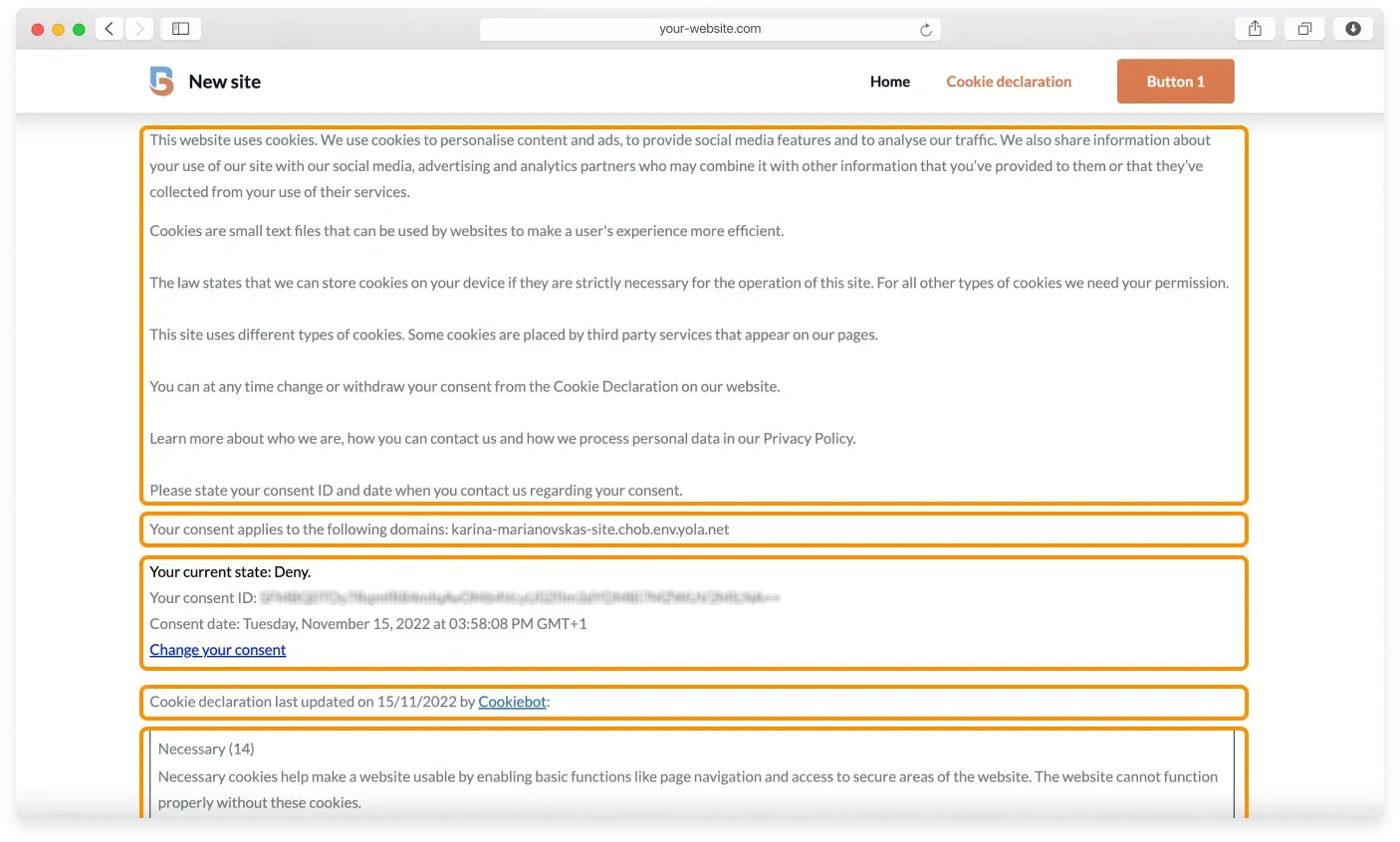
The cookie declaration is customizable for Premium CookieBot accounts (opens in a new tab), so you will need to upgrade if you want to change how your declaration looks. See the dedicated CookieBot article (opens in a new tab) for detailed customization instructions.
Adding the cookie declaration to your site
When you create a domain group, the cookie declaration scripts are generated automatically. You can find them by going to your CookieBot account, then Settings, then Your scripts.
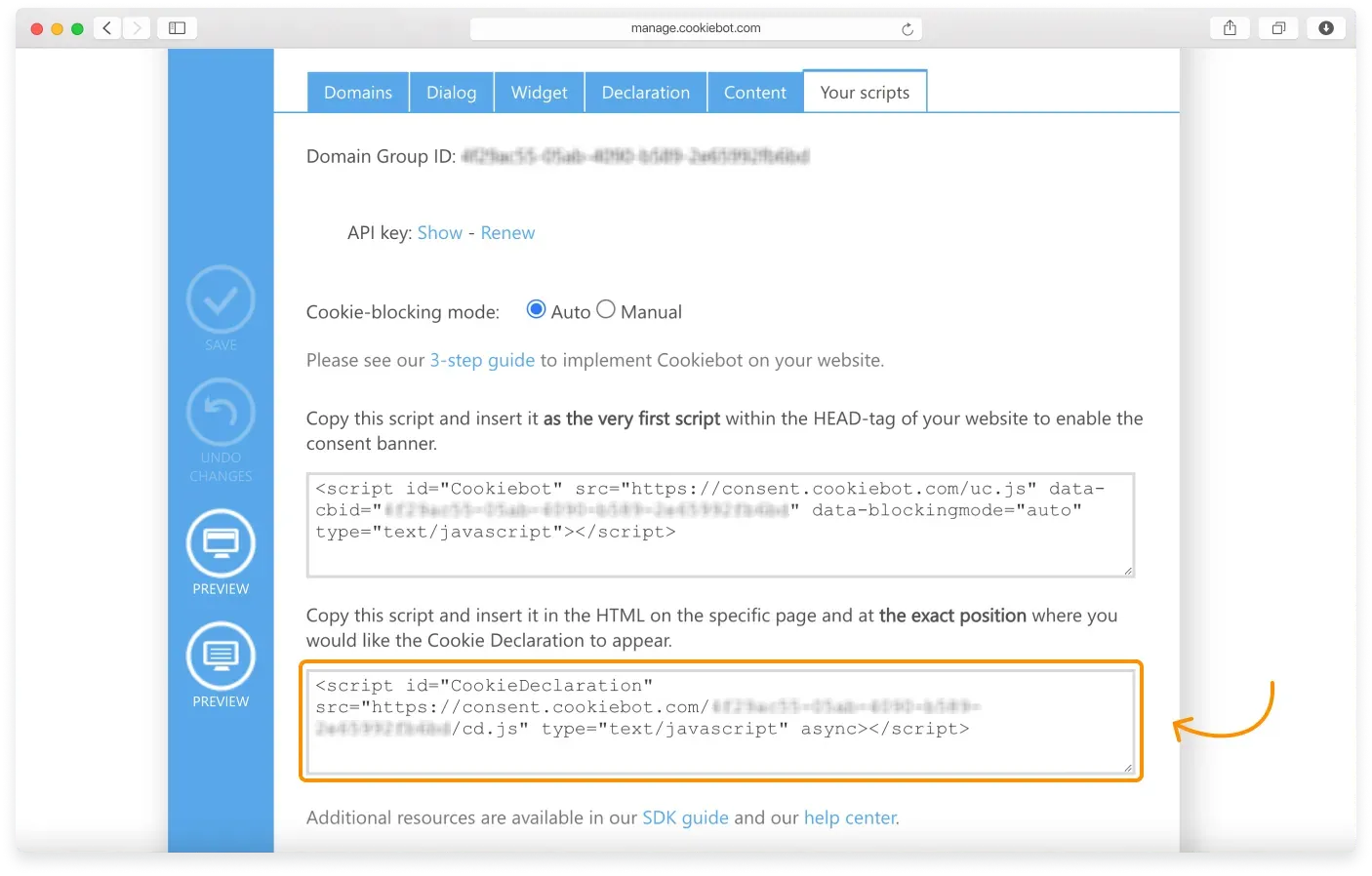
To add the cookie declaration to your website, follow these steps.
-
Create an empty page on your website. You can name it “Cookie declaration,” for example.
-
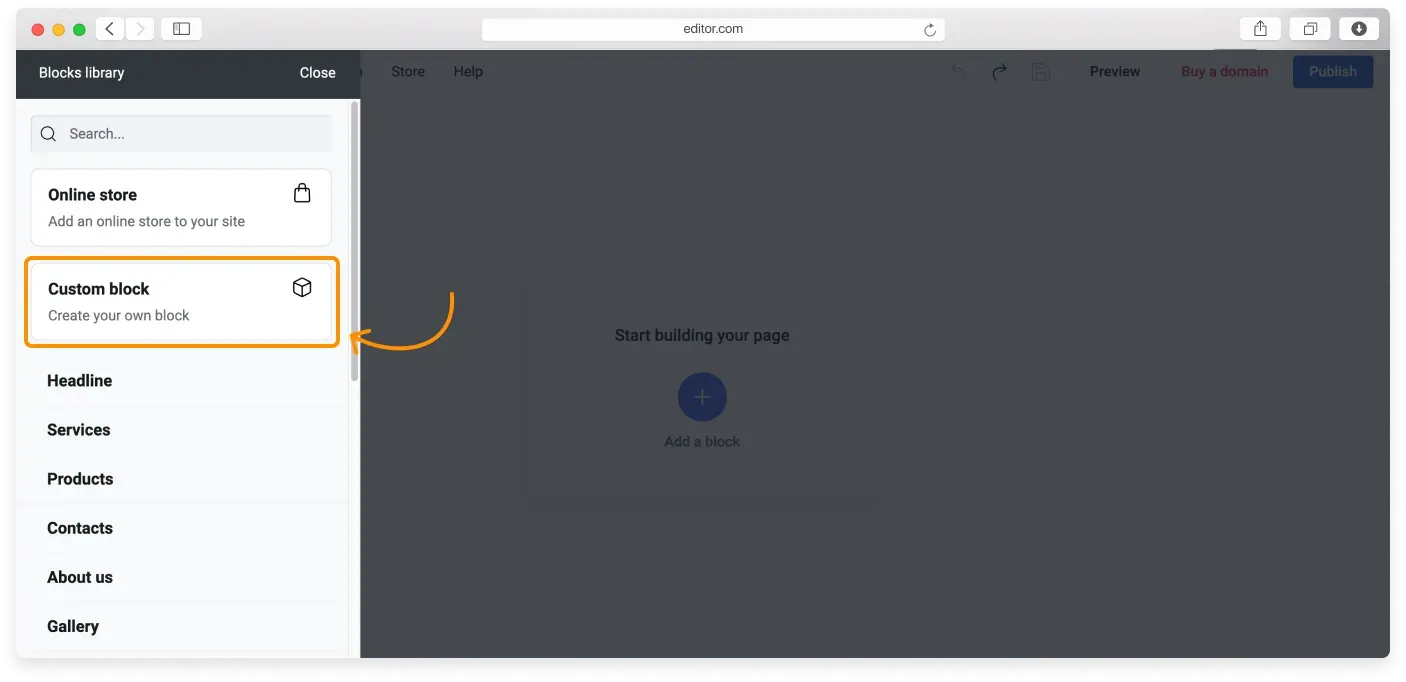
Add a Custom block to it by clicking Add a block, then Custom block. (Make sure you are on a Website Builder paid plan. If not, upgrade.)
-
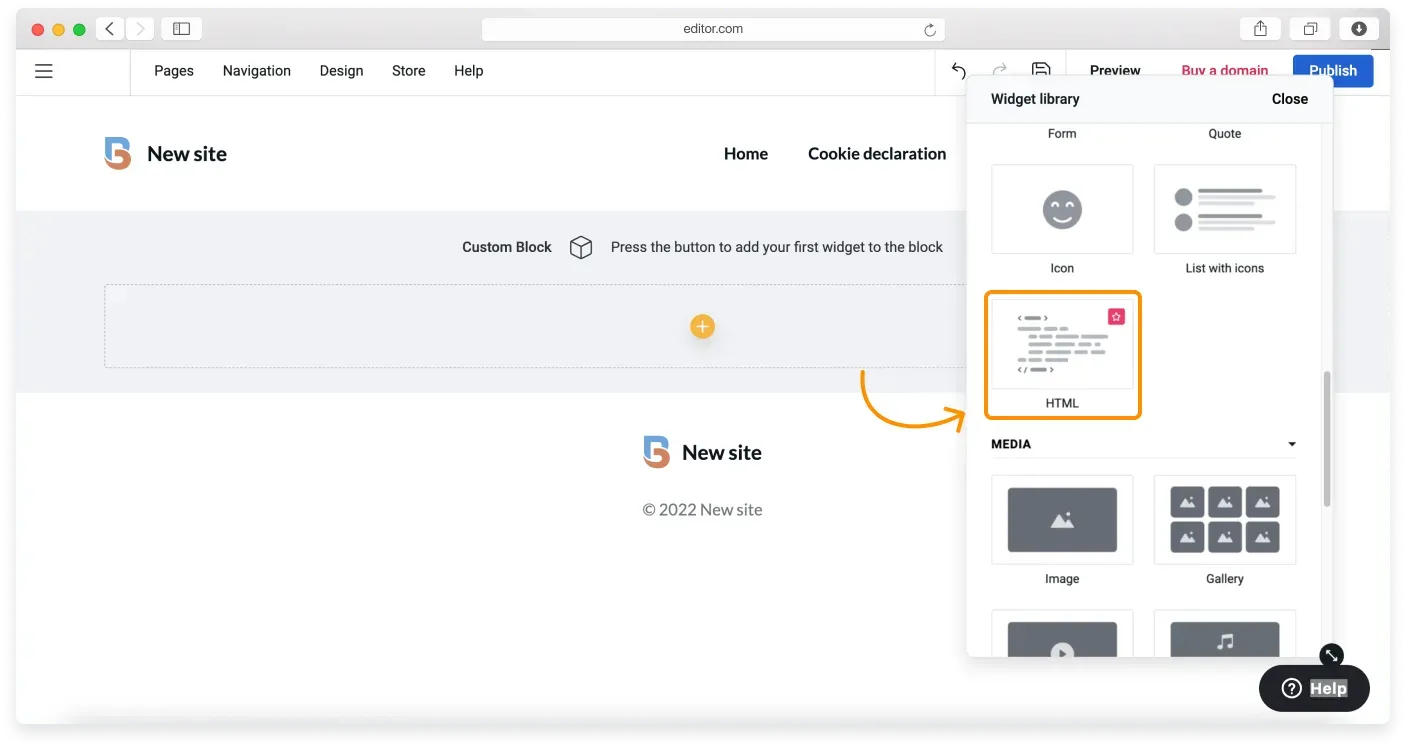
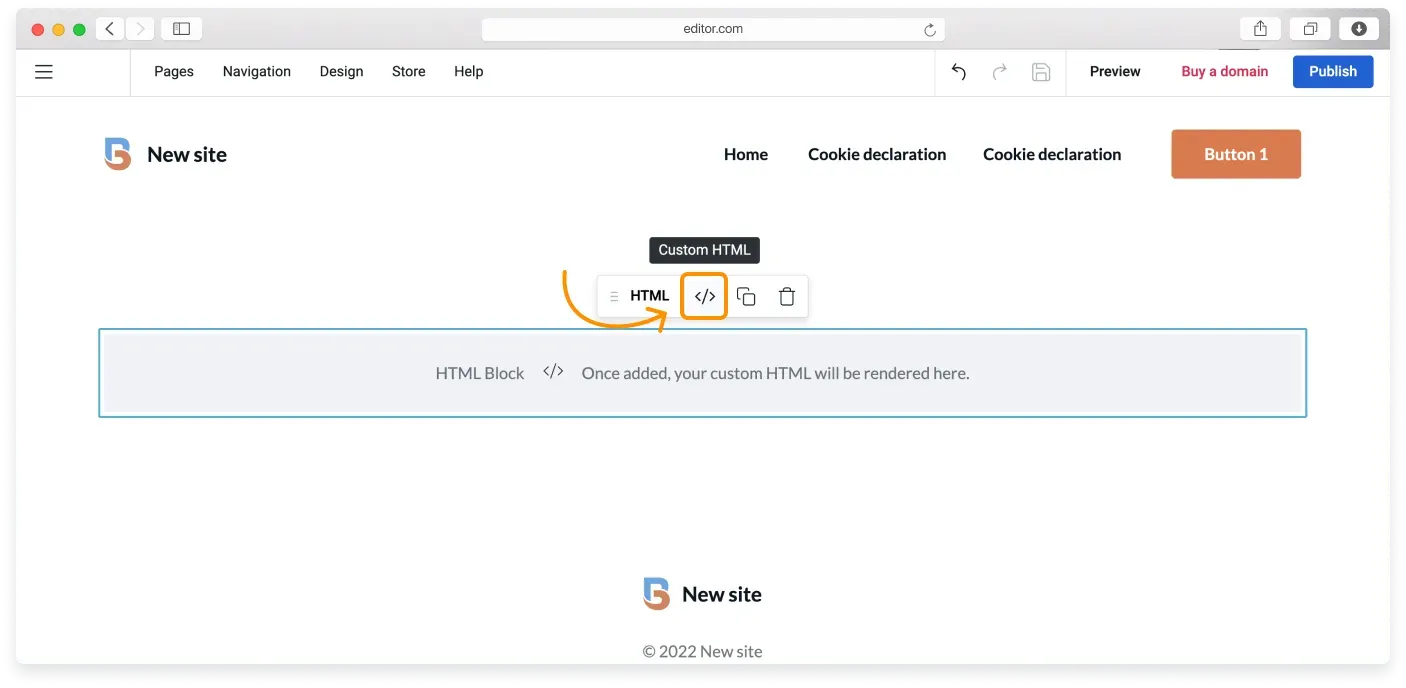
In the Custom block, click the (+) Plus button and choose the HTML block from the Widget library.
-
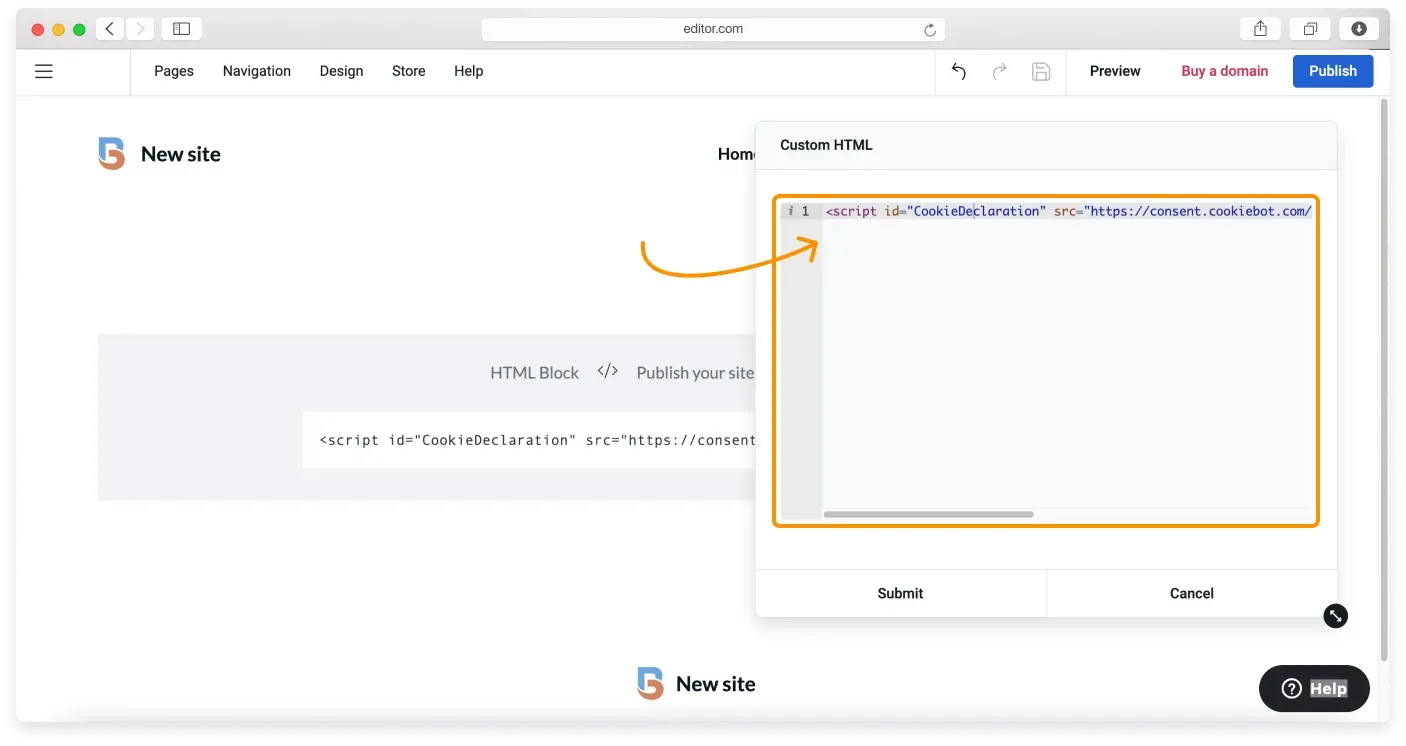
In the HTML block, click the Custom HTML button. Then copy the cookie declaration script from CookieBot and paste it into the code editor.
-
Click Submit to save, then Publish your website to make the changes live.
Preview mode limitation
Because of the nature of the script provided by CookieBot, the editor cannot run this code in Preview mode. You can only check how the declaration looks on your published website.
The cookie declaration automatically adopts the styling on your site. If you want to style it further, follow the instructions in the “Can I customize the Cookie Declaration?” section of this CookieBot article (opens in a new tab).
Related articles
- Your website and GDPRWhat GDPR means for your website and the common steps that help you comply.
- Essential and non-essential cookiesUnderstand what cookies do and the difference between essential and non-essential cookies.
- Adding a cookie consent bannerTurn on and customize a cookie consent banner so EU visitors can accept cookies.
Can’t find what you need?
Contact our team. We’re here 24/7 by email and ticket.