
 English
 Svenska
Categories
Adding a cookie consent banner
Turn on and customize a cookie consent banner so EU visitors can accept cookies.
On this page
The Website Builder uses cookie files to make sure your site gives your visitors the best experience. In some regions, legislation such as the General Data Protection Regulation (GDPR) and the ePrivacy Directive of 2002, commonly known as “the cookie law,” may require you to inform your visitors about the cookies your website uses and to obtain their consent to certain types of cookies.
If your website has visitors from the EU, you need a cookie warning in the form of a banner.
What is a cookie banner?
A cookie banner is a consent notice that appears on a website the first time a user visits. Its purpose is to alert your users about the cookies and get their consent to set them. See Essential and non-essential cookies to learn more.
How to enable the cookie banner
Here is how to request your visitors’ consent to the use of cookie files.
-
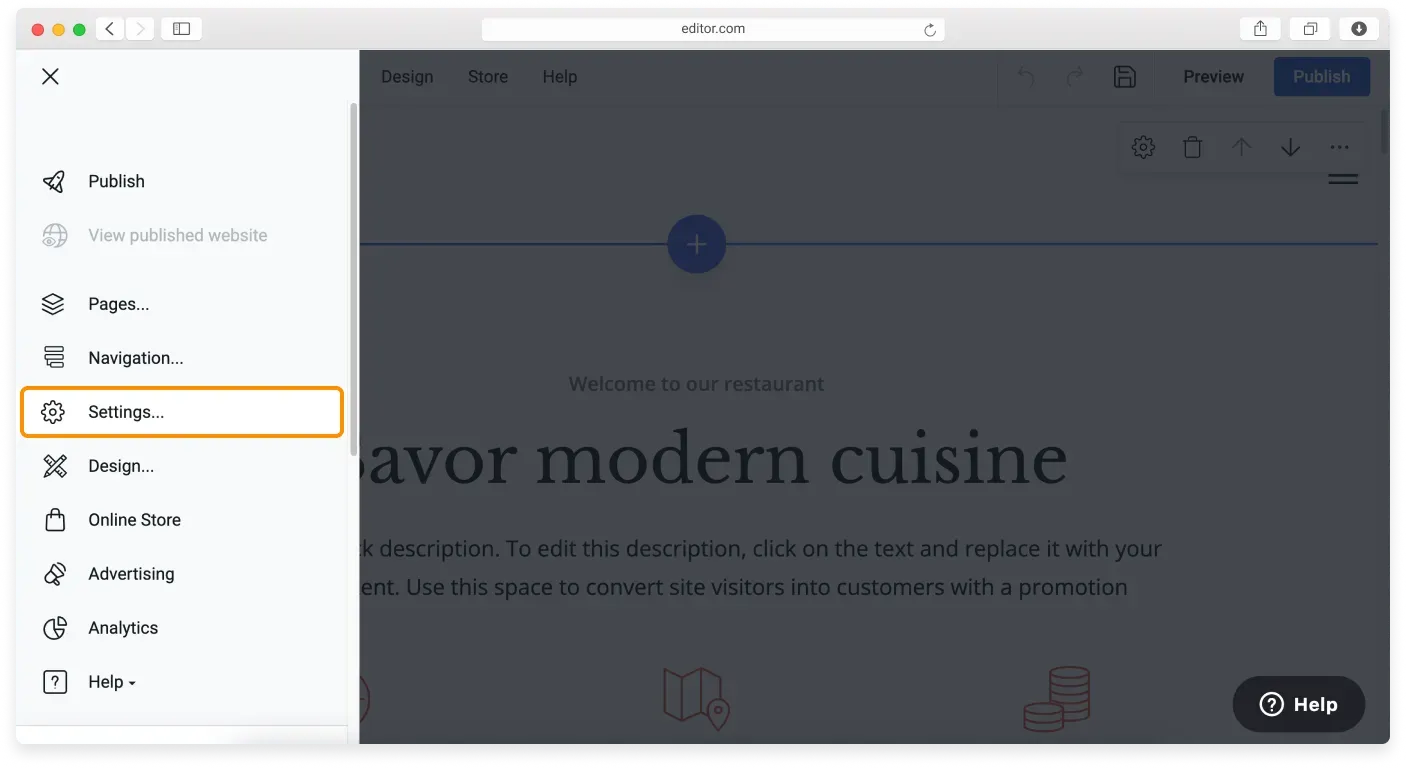
Click the Main Menu button in the top left corner of the Website Builder and choose Settings in the sidebar.
-
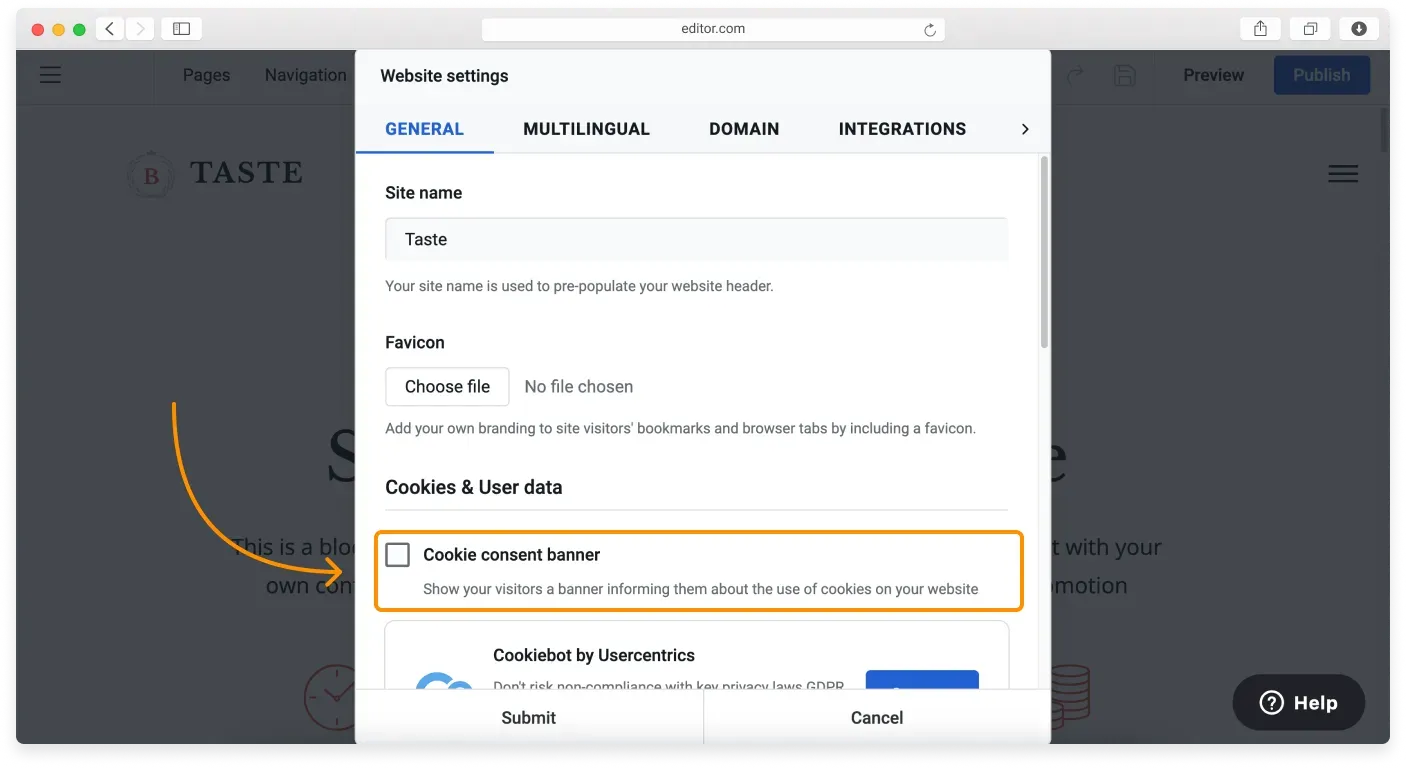
Go to the Cookies & User data section and tick the Cookie consent banner checkbox.
-
Click Submit and publish your site to make the changes live.
Now, when your visitors arrive at your website for the first time, they will see the banner at the top of their screen.
Editing the cookie banner
The banner text is generic and may not fit your particular situation. To change it, click anywhere on the banner and start typing. You can also format the text by making it bold, italic, underlined, or strikethrough.
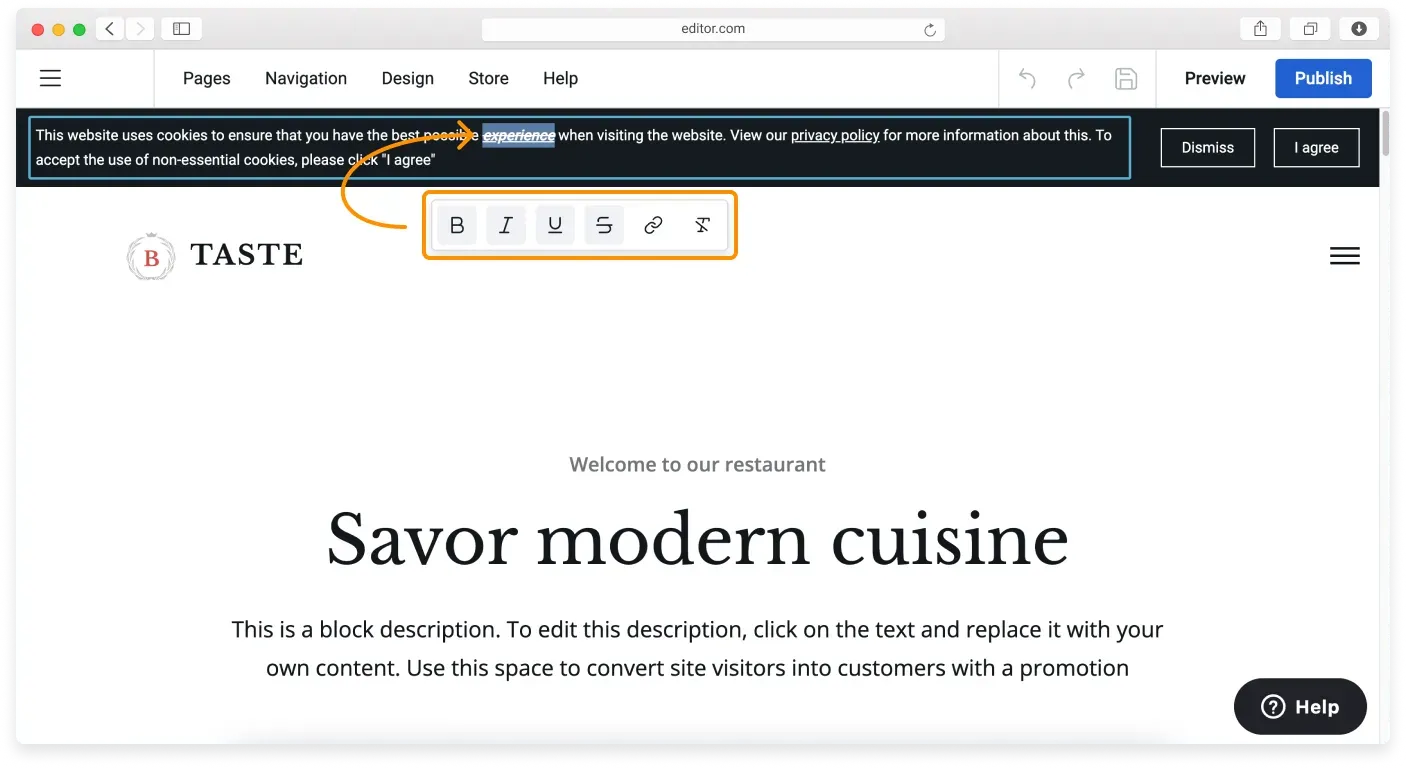
You can also edit the text inside the buttons. To do so, click the existing text on the button and type new text.
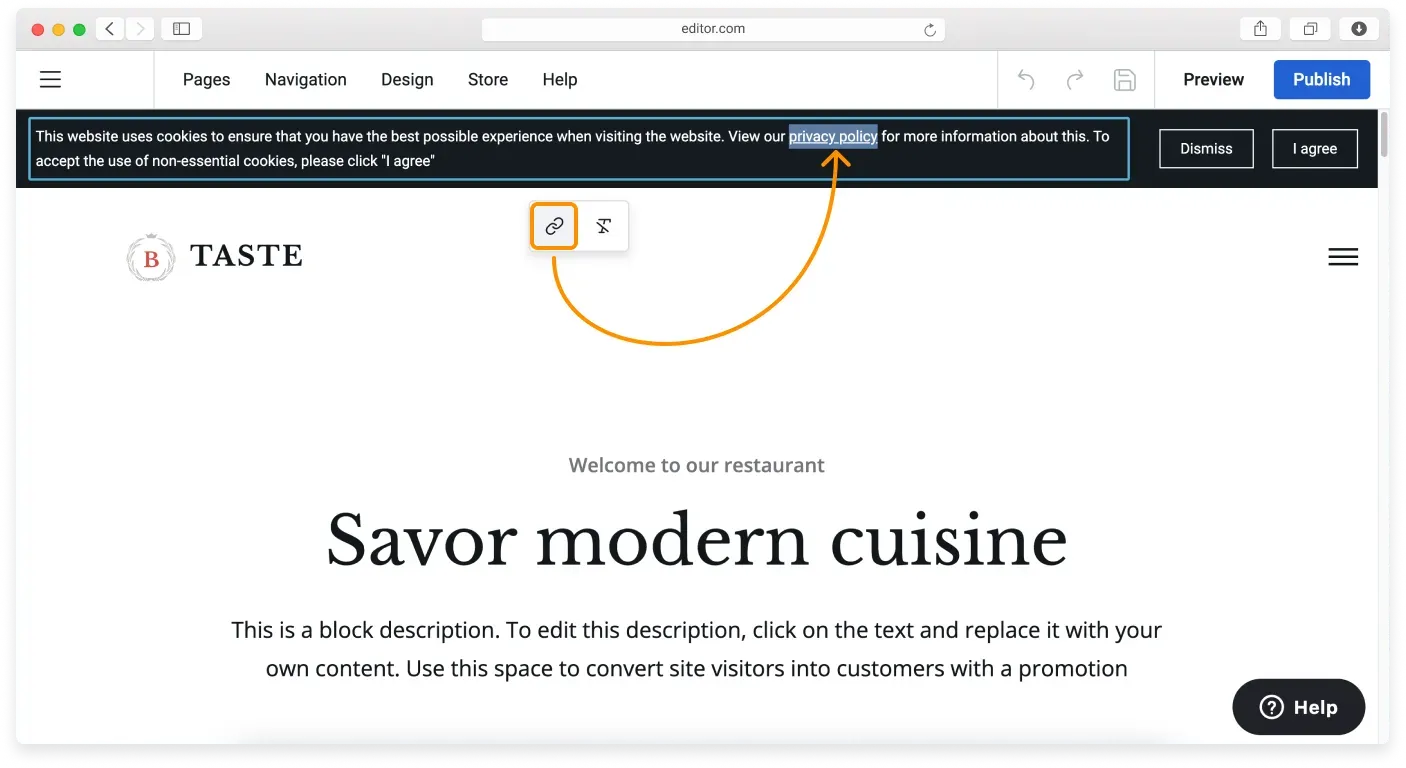
You can insert a link to your privacy policy and other legal pages as well. You can learn more about how to add a link in the Website Builder help.
Related articles
- Your website and GDPRWhat GDPR means for your website and the common steps that help you comply.
- Essential and non-essential cookiesUnderstand what cookies do and the difference between essential and non-essential cookies.
- Adding a cookie declaration to your websiteShow a full cookie declaration on your site using a CookieBot script.
Can’t find what you need?
Contact our team. We’re here 24/7 by email and ticket.