
 English
 Svenska
Categories
Publishing your website
Publish your site to make it live online and get a shareable link.
On this page
While saving your site preserves its content in the Website Builder, it does not automatically publish it to the internet. You need to publish your site so that people can find it online.
After you publish your site, you get a link to it that you can use for your marketing activities and share with your clients directly.
Previewing your site
The Website Builder is a WYSIWYG (What You See Is What You Get) platform, which means that while editing you see exactly what your visitors will see on the published website.
To check how your website looks on different devices and to test custom code, use the Preview button on the Topbar.
Before you publish
Your website is private by default. This means only the site owner and the people who help create the website can see it. At this point, your site is hidden from search engines too. Your edits will not be publicly visible until you publish the site.
Keep your site private while you work
While you work on your website, you may want to keep it private until you are ready to go live. To keep it hidden from visitors, keep saving it without publishing.
Publishing your site
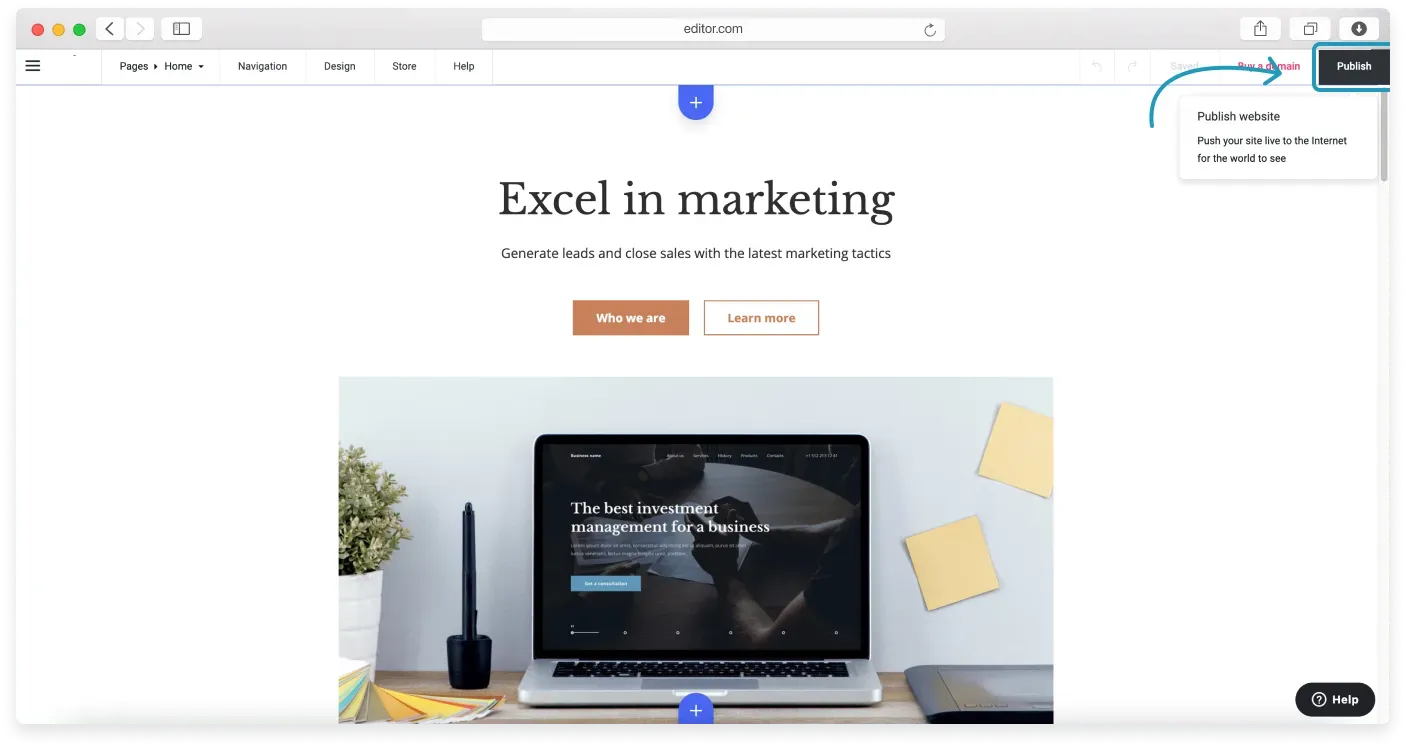
When you are done editing, click Publish in the top-right corner of the Website Builder.
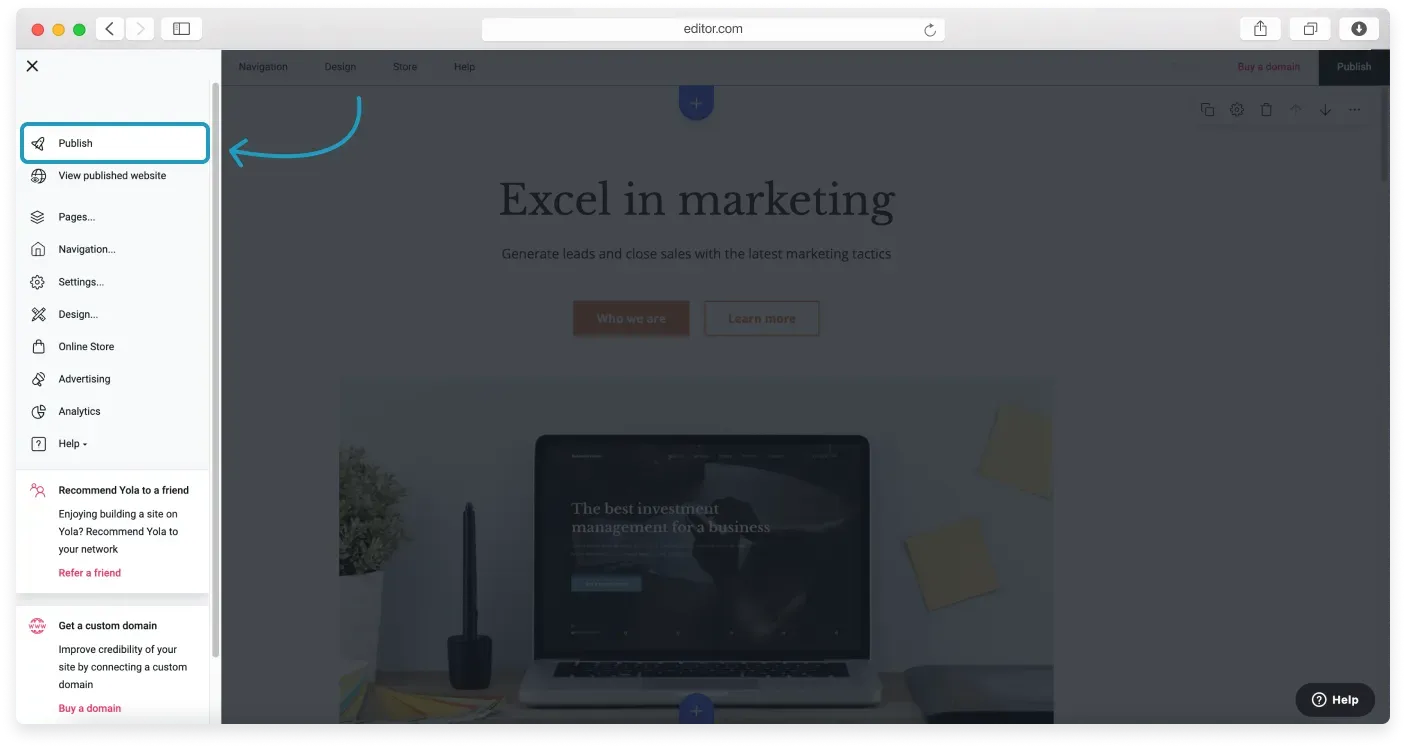
Alternatively, click the Menu button (three horizontal lines) in the top-left corner and choose Publish from the Sidebar menu.
After you publish
After you press Publish, your site goes live and can be viewed online. You can access it by:
- Pressing the View your published site link in the pop-up window that appears right after you publish.
- Entering your site’s URL in the browser.
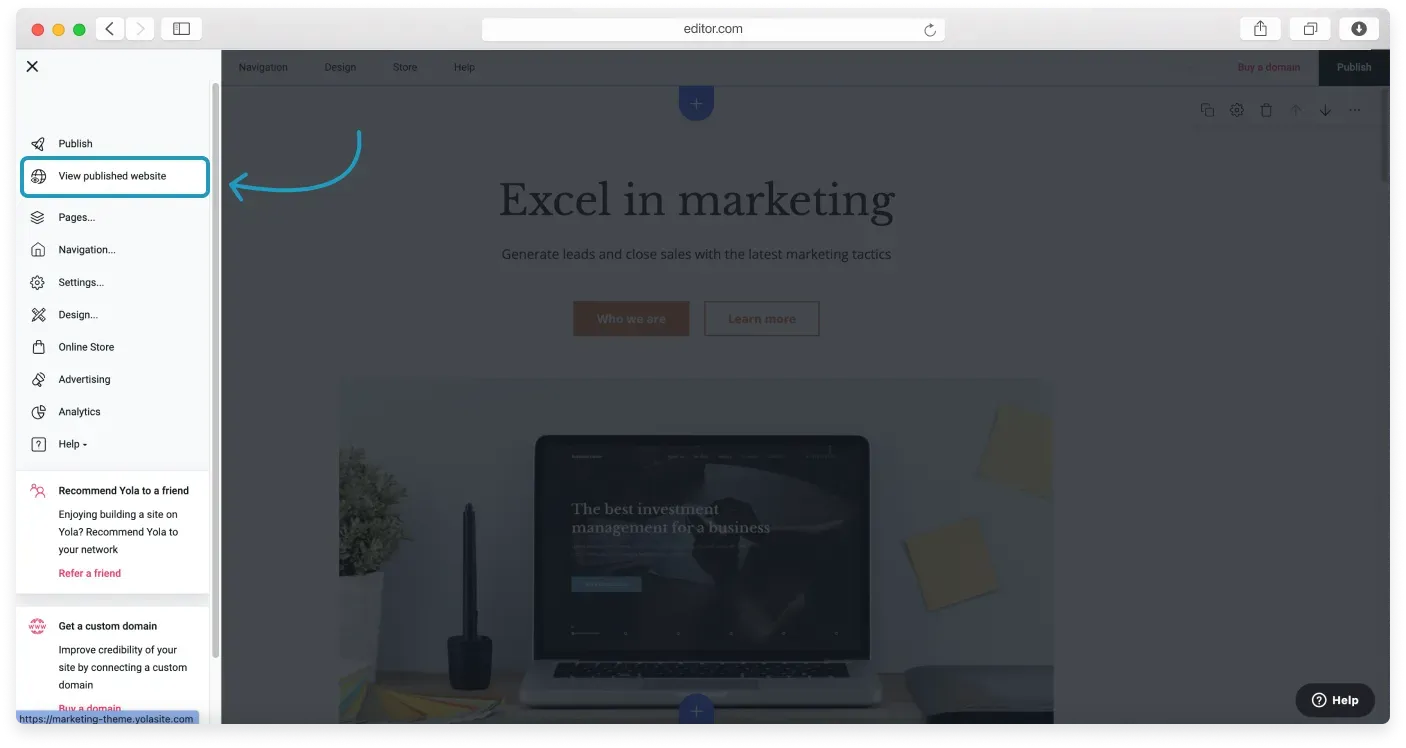
- Opening the Side menu and clicking View published website.
Not seeing your changes?
If you cannot see the changes you made to your published site, clear the browser cache (opens in a new tab) and try again.
You may not find your site in search results right away, as it takes time for newly published sites to be indexed by search engines. Read our collection of SEO tutorials for more on how to help your site appear in search results faster.
Related articles
Can’t find what you need?
Contact our team. We’re here 24/7 by email and ticket.