
 English
 Svenska
Kategorier
Den här artikeln finns inte på svenska än. Här är den engelska versionen.
Designing and styling your site
Change colors, fonts, and effects, and customize your images and blocks.
På den här sidan
The Website Builder gives you plenty of design options to create an attractive, modern site. This article covers the basics of styling your site.
Customize your style
Choosing a pre-designed template does not mean your site has to look like everyone else’s. You can change colors, fonts, and effects to make it your own.
To open the design settings, click Design on the top bar. From there you can:
- Apply different website colors.
- Change your website fonts.
- Change the button style.
- Add website animations and effects.
- Adjust other styles, such as corners.
- Switch to a different template.
These settings work together to help you create a balanced, well-designed site. To change your template, click the Template option, then Switch template to open the template gallery.
Arrange your images
There are two ways to place images on your site:
- Add a single image with the Image block.
- Group several images with the Gallery block.
Your blocks come with sample images. Leave them as they are, or replace them with your own images and backgrounds to make your site unique.
Customize your blocks
You can change how a block looks in its Block settings.
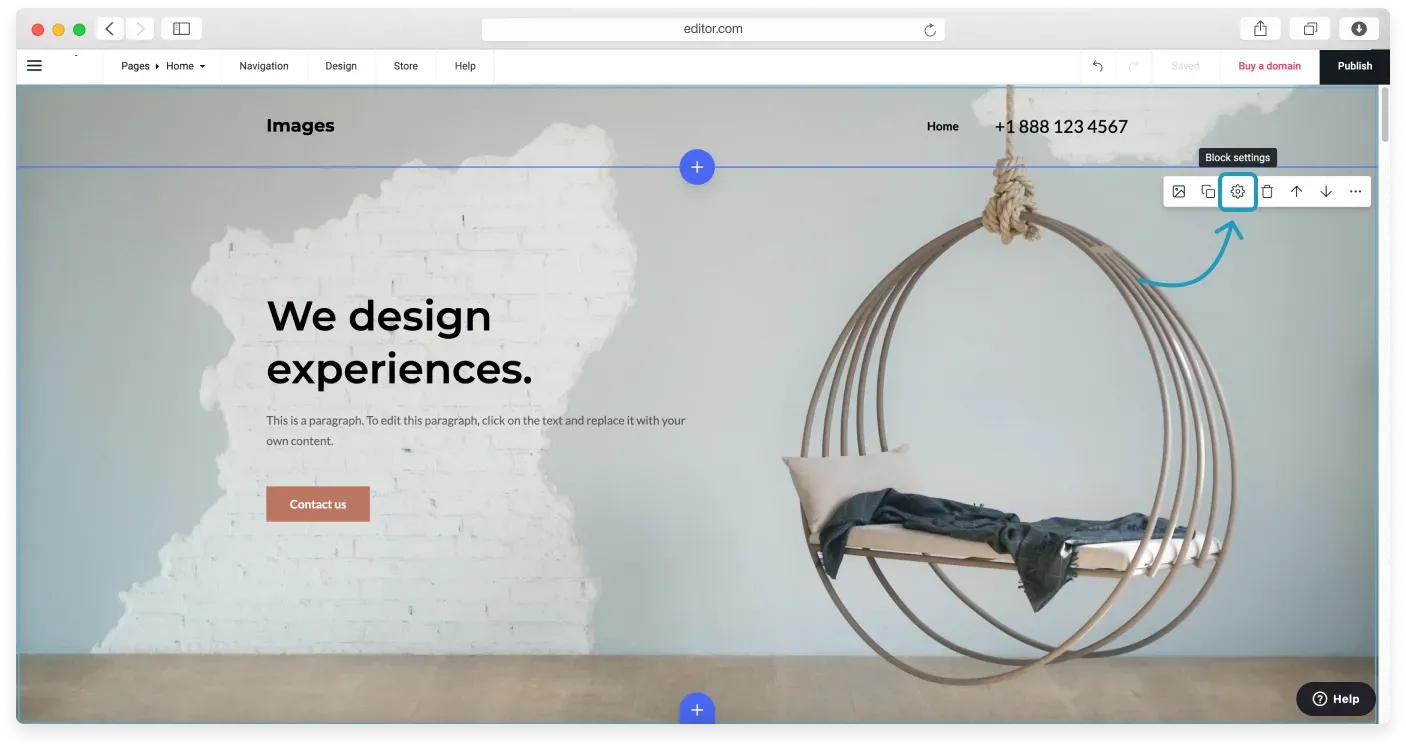
Every block has its own settings, so you can fine-tune each part of your page.
Relaterade artiklar
Hittar du inte det du söker?
Kontakta vårt team. Vi finns här dygnet runt via e‑post och supportärende.