
 English
 Svenska
Kategorier
Den här artikeln finns inte på svenska än. Här är den engelska versionen.
Changing your website's name
Rename your website from the Business info tab in the editor.
You can change the website name you set during onboarding right in the website editor.
Name vs. address
The website name and the website address are different things. The website name is the text you see in the upper-left corner of your site, while the website address is the text you see in your browser’s address bar.
Changing your website’s name in the editor
Follow these steps:
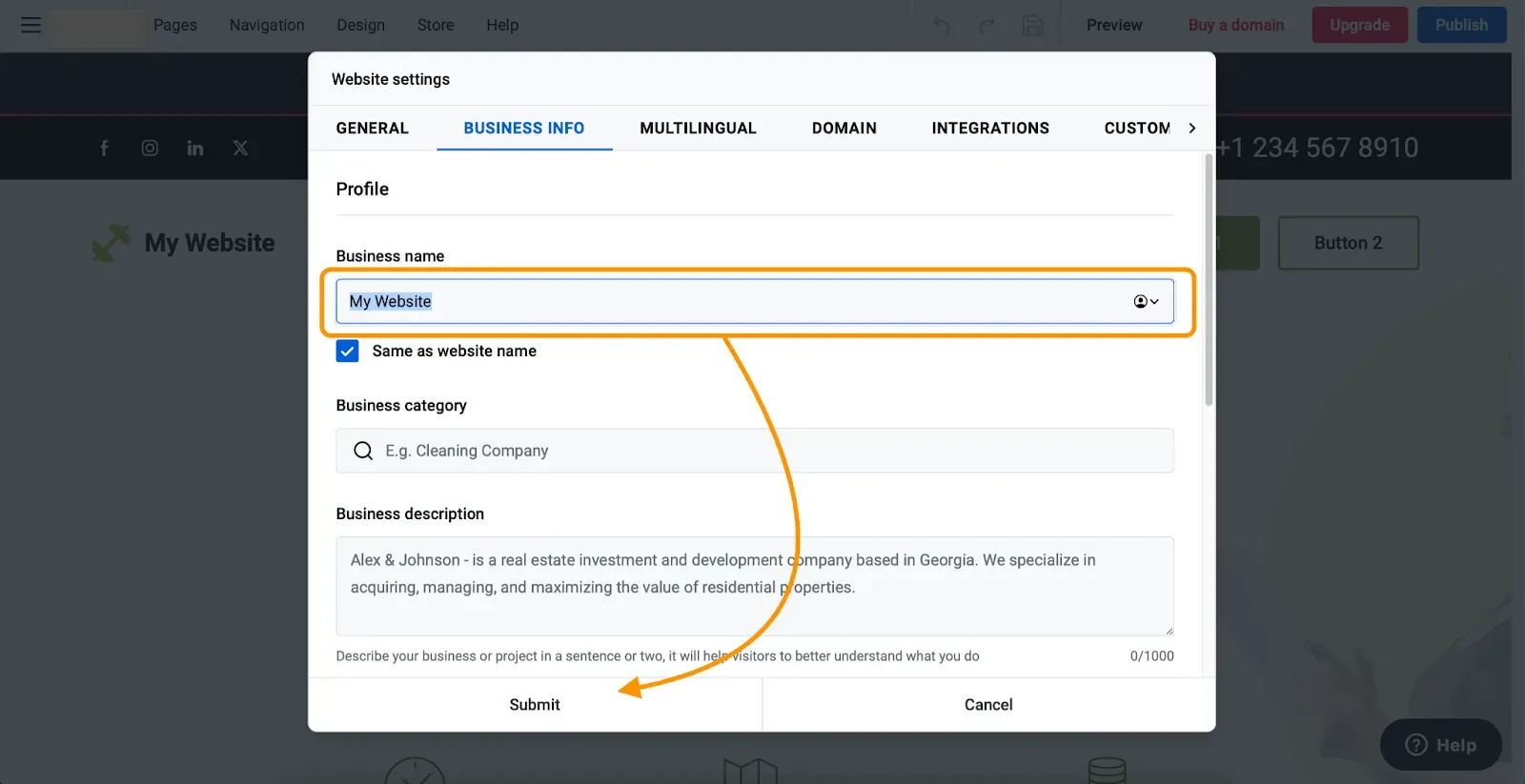
- Click the website name in the Header block. You will be taken to the Business info tab in Website settings.
- Find the Business name field and type in the new site name.
- Click Submit and publish your website to make these changes live.
Footer updates automatically
Your new site name automatically changes in the footer and the copyright notice, so you do not have to update it manually.
Alternatively, you can change your business information, including your website name (business name), by going directly to Menu (the hamburger icon in the top-left corner), then Settings, then the Business info tab.
Relaterade artiklar
Hittar du inte det du söker?
Kontakta vårt team. Vi finns här dygnet runt via e‑post och supportärende.