
 English
 Svenska
Kategorier
Den här artikeln finns inte på svenska än. Här är den engelska versionen.
First steps to building your website on mobile
Sign up and use the Setup Wizard to pick a template and set up your site from your phone.
På den här sidan
The first thing you need to do is sign up for an account. Enter your name, email address, and password on the Get started page and check all the required checkboxes.
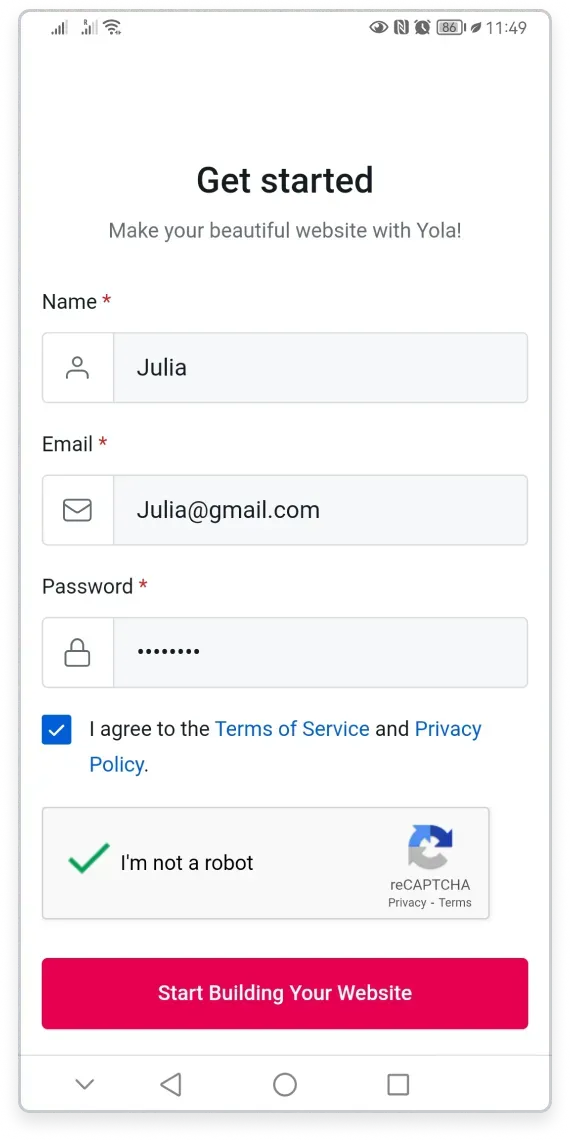
Then you enter a Setup Wizard that helps you choose the right template from our extensive Template gallery. The Wizard has up to 5 steps depending on the type of website you choose. You can opt out of the Setup Wizard by tapping the Skip setup button at the bottom of the screen.
Let’s explore the steps with the Business website as an example.
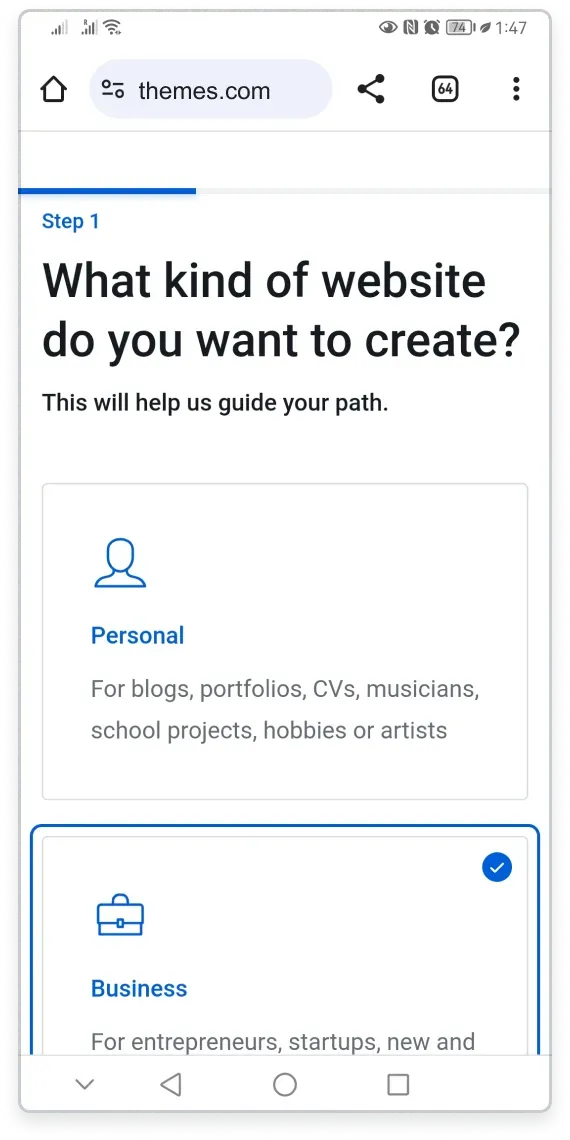
Step 1. What kind of website do you want to create?
Choose the kind of website you would like to create: Personal, Business, Online store, or Community/Organization, so that you see only relevant templates in the Template Gallery.
For this example, we choose Business.
Tap Continue to proceed.
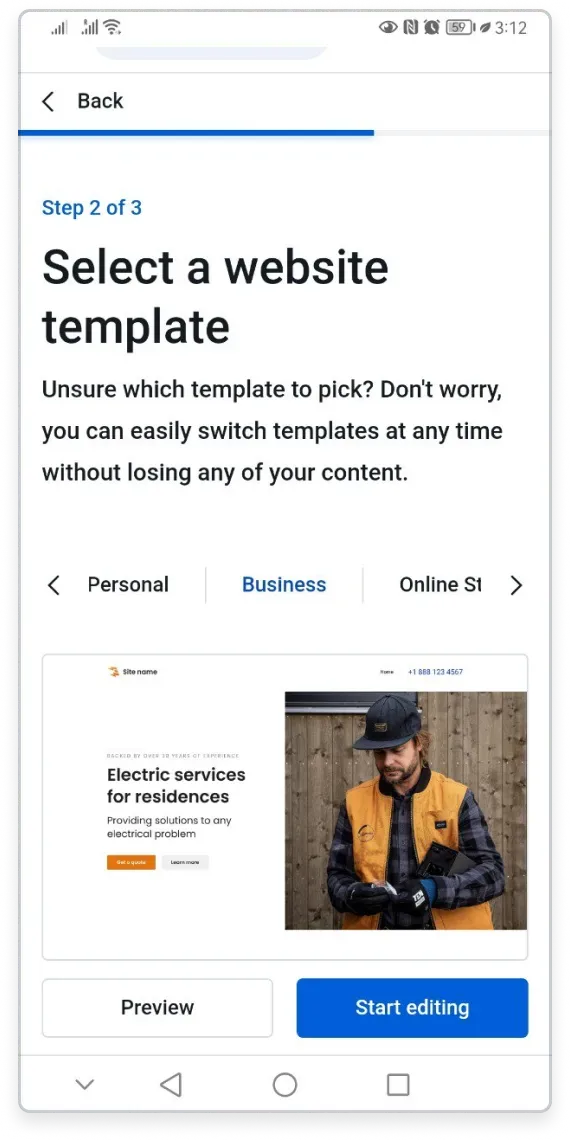
Step 2. Select a website template
Scroll down to view and choose the template that appeals to you. Tap the Preview button to see the template, or the Start editing button to select the template and proceed.
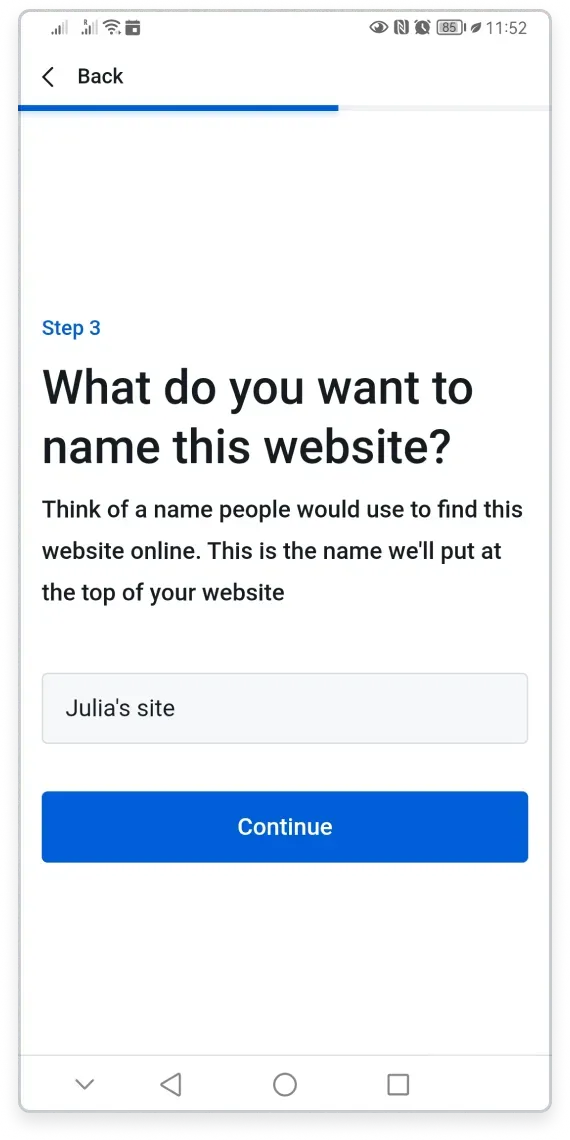
Step 3. Name your website
The Wizard offers you a default site name based on the name you entered during registration. This name appears in your website’s header, and you can change it at any time. Tap Continue to go to the Website Builder if you are building a Personal site.
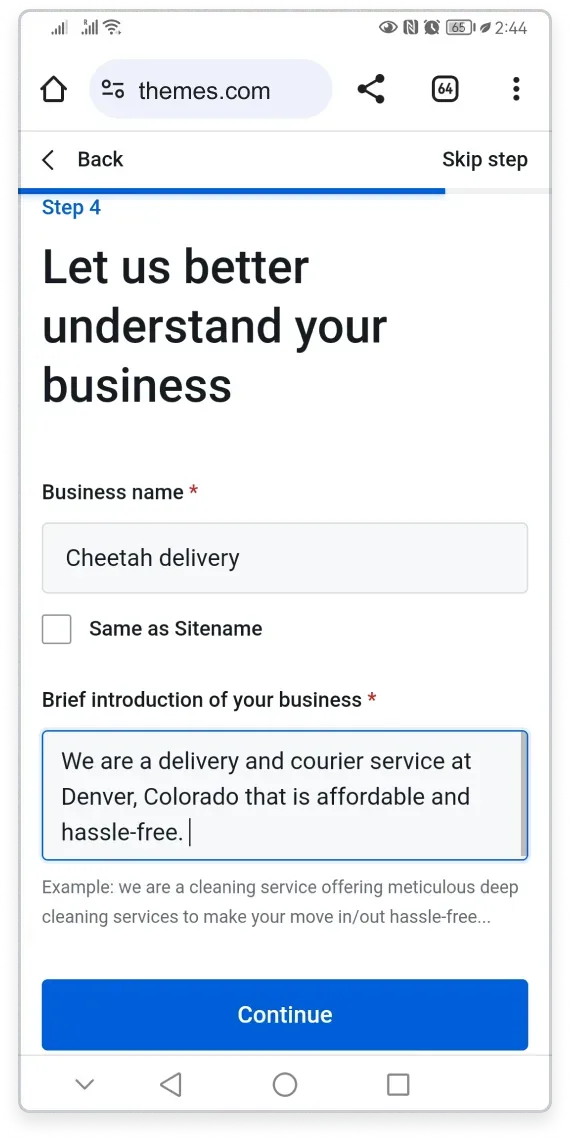
Step 4. Let us better understand your business
On the next page, you can add an alternative to your site name, such as a business name, or you can keep it the same by ticking the respective checkbox. You can also add a brief introduction of your business.
Tap Continue to proceed.
Step 5. Finish with business information
Fill in the form with your business information. The information then automatically appears in all the necessary places on your site, like the header, the footer, and the Contacts block, saving you time on customization.
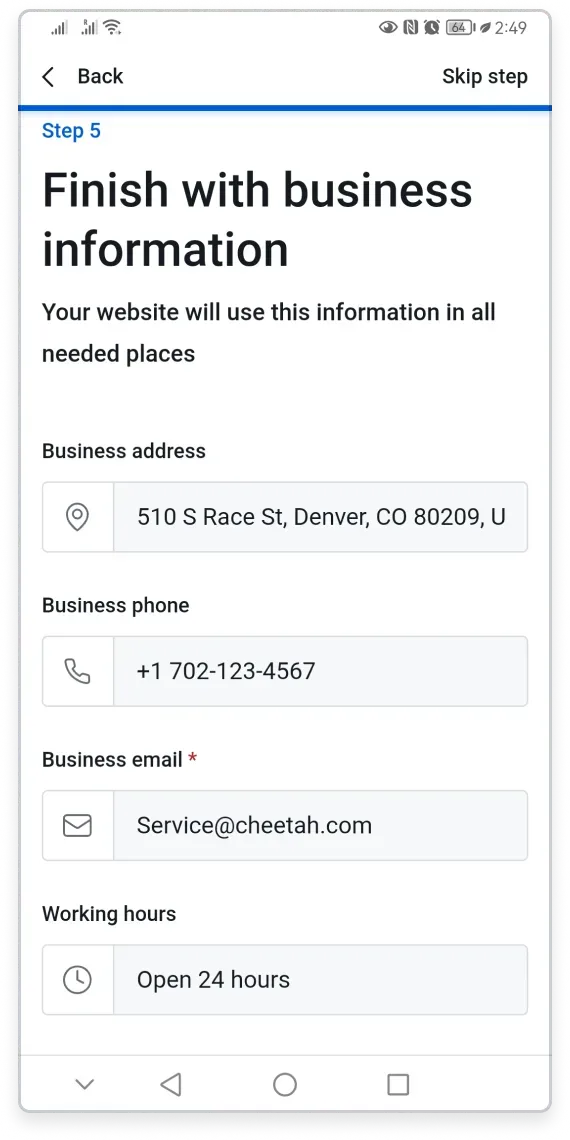
Tap Finish setup to go to the Website Builder and start editing your site.
The site setup for the Online Store and Community/Organization website types is the same. For a Personal website, you do not have to set up business information.
Relaterade artiklar
- About mobile editingHow the mobile Website Builder lets you create and edit your website from any phone or tablet.
- Adding website content on mobileAdd and edit blocks, images, text, and downloadable files from your mobile device.
- Creating a mobile-responsive websiteYour Website Builder site automatically adapts to look great on any screen size.
Hittar du inte det du söker?
Kontakta vårt team. Vi finns här dygnet runt via e‑post och supportärende.