
 English
 Svenska
Kategorier
Den här artikeln finns inte på svenska än. Här är den engelska versionen.
Adding a click-to-call link
Turn text, images, and buttons into clickable links that call your business.
På den här sidan
A click-to-call (or click-to-dial) link lets website visitors click or tap a phone number, button, or image to call your business from their mobile or computer.
You can set this up in the Website Builder by adding your business phone number to a clickable link, allowing visitors to reach your business without copying and pasting your phone number to make a call.
Adding a click-to-call link to text, images, and buttons
You can turn any portion of your content, including images and buttons, into a clickable call link. Assign a Make a phone call action to any of the following.
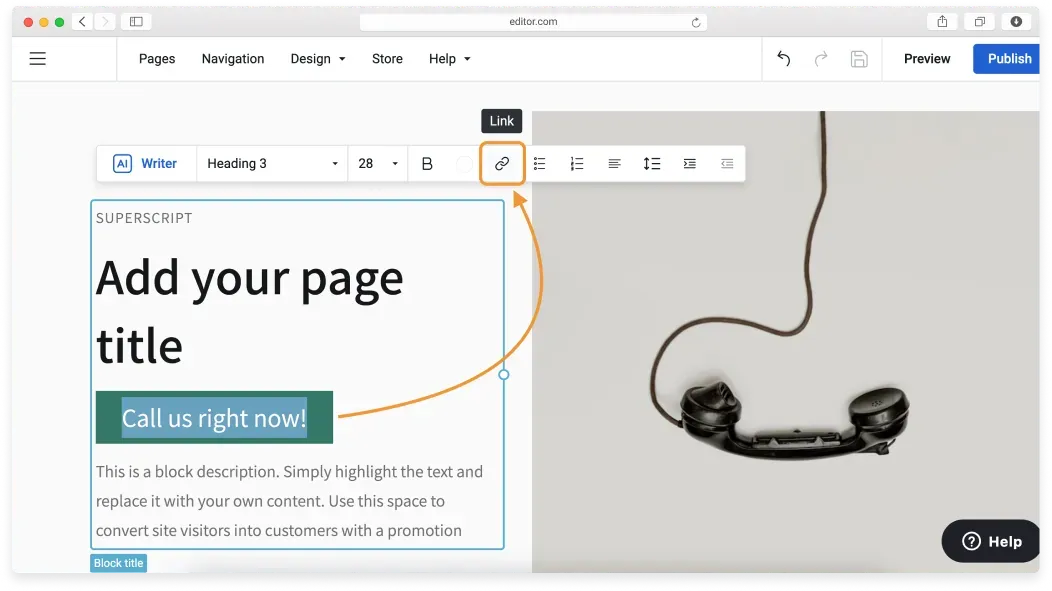
Text
Highlight the text and click the Link icon in the control pane to open the Link settings menu.
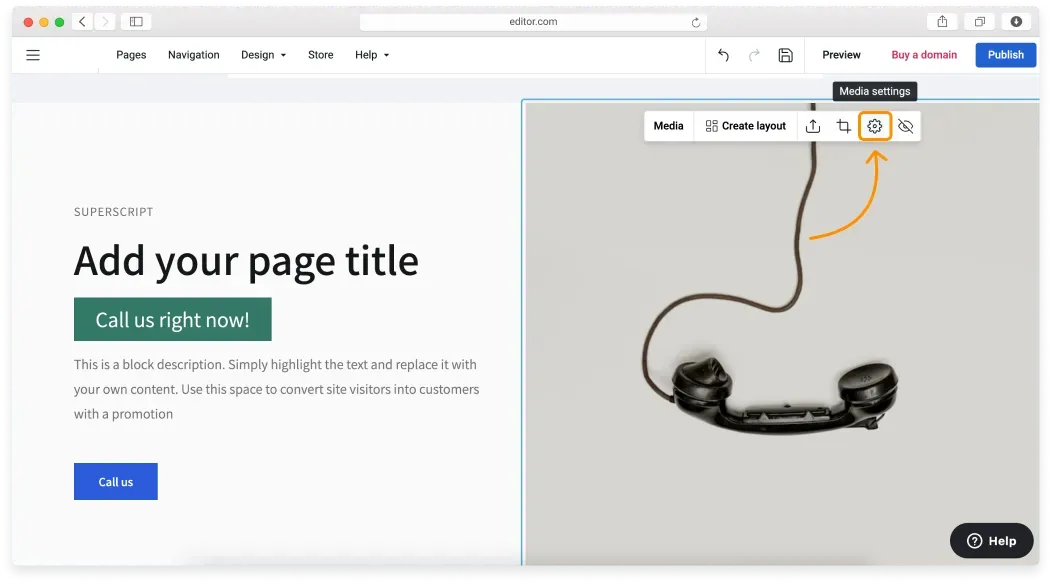
Images
Click the image to enable its control pane and click the gear icon to open the Media settings menu. At the bottom of the menu, you’ll find the Click action settings.
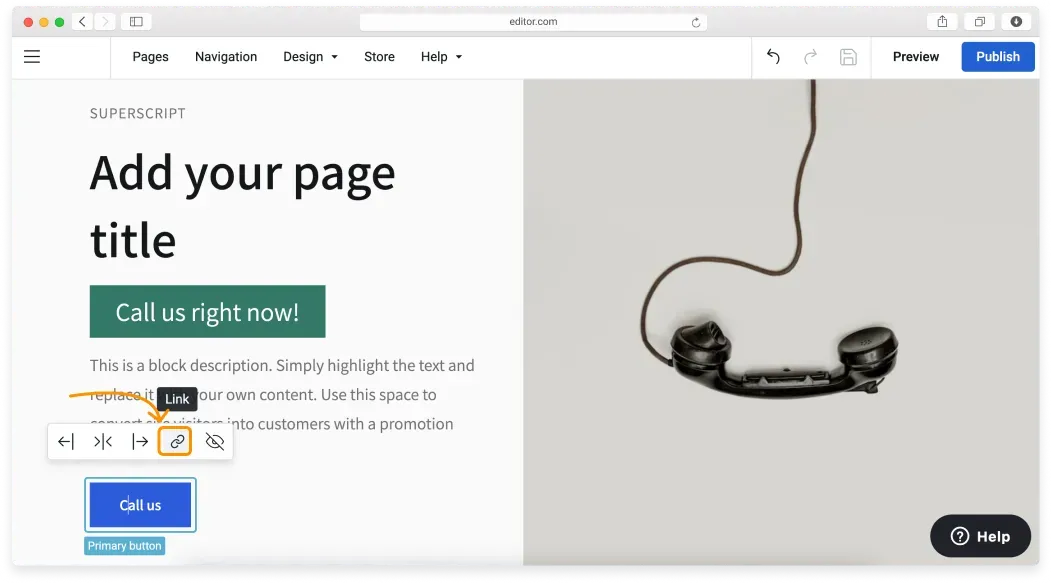
Buttons
Hover over or click the button and click the Link icon to open the Link settings menu.
Include the country code
If you cater to an international customer base, make sure to include the international country code so that your customers always reach the correct destination.
Relaterade artiklar
Hittar du inte det du söker?
Kontakta vårt team. Vi finns här dygnet runt via e‑post och supportärende.